Image Downloader
Download images from websites with filtration.
Apa itu Image Downloader?
Image Downloader adalah ekstensi Chrome yang dikembangkan oleh sadirjaparov75, dan fitur utamanya adalah "Download images from websites with filtration.".
Screenshot Ekstensi
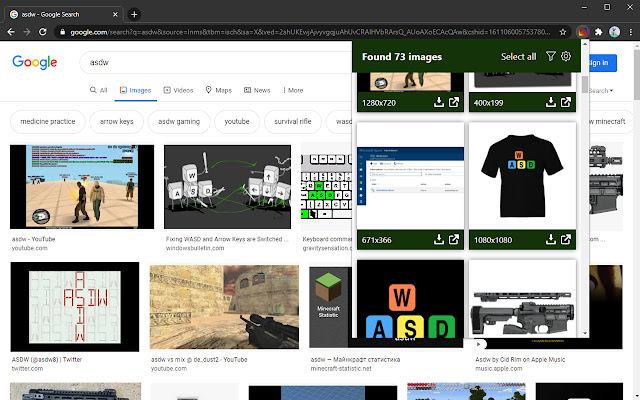
Unduh Berkas CRX Ekstensi Image Downloader
Unduh file ekstensi Image Downloader dalam format crx, pasang ekstensi Chrome secara manual di peramban, atau bagikan file crx dengan teman untuk menginstal ekstensi Chrome dengan mudah.
Petunjuk Penggunaan Ekstensi
We have a great extension for you that can make it easier for you to spend your time uploading images. This is Image Downloader. It makes bulk uploading of images more convenient. Moreover, you can do it with the help of one click. Your images will be very bright and clear. The extension is lightweight and has a user-friendly interface. You can also specify a minimum or maximum width for the images you want to upload. Image Downloader is completely free and we are sure you will love it. Informasi Dasar Ekstensi
| Nama |  Image Downloader Image Downloader |
| ID | jbkdpgdfhmgejckbhpmjmipcojfgjdao |
| URL Resmi | https://chrome.google.com/webstore/detail/image-downloader/jbkdpgdfhmgejckbhpmjmipcojfgjdao |
| Deskripsi | Download images from websites with filtration. |
| Ukuran File | 54.55 KB |
| Jumlah Instalasi | 7,000 |
| Versi Saat Ini | 1.2 |
| Terakhir Diperbarui | 2021-10-04 |
| Tanggal Publikasi | 2021-01-26 |
| Penilaian | 4.00/5 Total 14 Penilaian |
| Pengembang | sadirjaparov75 |
| [email protected] | |
| Tipe Pembayaran | free |
| Bahasa yang Didukung | id,ms,de,en,en-GB,en-US,fil,fr,nl,no,vi,tr,ca,da,et,es,hr,it,lv,lt,hu,pl,pt-BR,pt-PT,ro,sk,sl,fi,sv,cs,el,sr,bg,ru,mr,hi,bn,gu,ta,te,ml,th,zh-CN,zh-TW,ja,ko |
| manifest.json | |
{
"update_url": "https:\/\/clients2.google.com\/service\/update2\/crx",
"manifest_version": 2,
"name": "Image Downloader",
"default_locale": "en",
"description": "__MSG_appDesc__",
"version": "1.2",
"background": {
"scripts": [
"scripts\/bkg\/initLab.js",
"scripts\/bkg\/codexLab.js",
"scripts\/chrome.js"
]
},
"content_scripts": [
{
"js": [
"scripts\/parser.js",
"scripts\/content.js"
],
"matches": [
" | |