C&P Chrome Extension
Adds autocomplete functionality to the Clients & Profits web time card
Apa itu C&P Chrome Extension?
C&P Chrome Extension adalah ekstensi Chrome yang dikembangkan oleh Ryan Bagwell, dan fitur utamanya adalah "Adds autocomplete functionality to the Clients & Profits web time card".
Screenshot Ekstensi
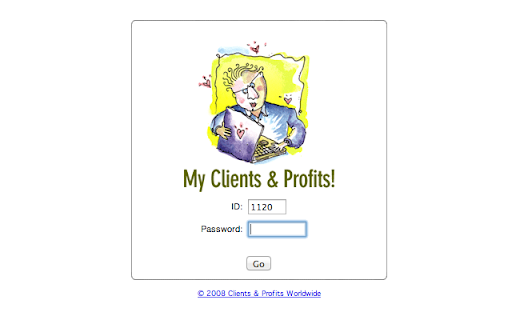
Unduh Berkas CRX Ekstensi C&P Chrome Extension
Unduh file ekstensi C&P Chrome Extension dalam format crx, pasang ekstensi Chrome secara manual di peramban, atau bagikan file crx dengan teman untuk menginstal ekstensi Chrome dengan mudah.
Petunjuk Penggunaan Ekstensi
                        Now you no longer have to remember complex job numbers or cumbersome task IDs.

1. Set your Clients & Profits web url in the extension's options page. File > Preferences > Extensions, then click the options link under the extension name

2. Now, when you click the C&P icon in the top-right corner, it will take you to your time card.

3. Start typing some characters in the "Job" field, and a list of job titles will appear.

4. After selecting a job, you'll be able to see a list of available tasks that are associated with that job.
Informasi Dasar Ekstensi
| Nama |  C&P Chrome Extension C&P Chrome Extension |
| ID | jebjdphnbeoigigjbemknhklddadlpna |
| URL Resmi | https://chromewebstore.google.com/detail/cp-chrome-extension/jebjdphnbeoigigjbemknhklddadlpna |
| Deskripsi | Adds autocomplete functionality to the Clients & Profits web time card |
| Ukuran File | 355 KB |
| Jumlah Instalasi | 14 |
| Versi Saat Ini | 1.4.13 |
| Terakhir Diperbarui | 2019-03-19 |
| Tanggal Publikasi | 2019-03-19 |
| Pengembang | Ryan Bagwell |
| Tipe Pembayaran | free |
| Bahasa yang Didukung | en-US |
| manifest.json | |
{
    "update_url": "https:\/\/clients2.google.com\/service\/update2\/crx",
    "name": "C&P Chrome Extension",
    "version": "1.4.13",
    "manifest_version": 2,
    "description": "Adds autocomplete functionality to the Clients & Profits web time card",
    "icons": {
        "16": "dist\/img\/icon.logo.16.png",
        "48": "dist\/img\/icon.logo.48.png",
        "128": "dist\/img\/icon.logo.128.png"
    },
    "browser_action": {
        "default_icon": {
            "19": "dist\/img\/icon.logo.19.png",
            "38": "dist\/img\/icon.logo.38.png"
        },
        "default_title": "Clients & Profits",
        "name": "Clients & Profits"
    },
    "options_page": "dist\/html\/settings.html",
    "permissions": [
        "https:\/\/*\/*",
        "http:\/\/*\/*",
        "tabs",
        "storage"
    ],
    "background": {
        "scripts": [
            "dist\/browseraction.js"
        ]
    },
    "content_scripts": [
        {
            "matches": [
                "http:\/\/*\/*"
            ],
            "js": [
                "dist\/controller.js"
            ],
            "css": [
                "dist\/css\/jquery-ui\/jquery-ui.min.css",
                "dist\/css\/jquery-ui\/theme.css",
                "dist\/css\/ui.css"
            ]
        }
    ],
    "web_accessible_resources": [
        "dist\/globalaccess.js",
        "dist\/img\/loading.svg"
    ]
} | |


![[DEPRECATED] List Layouts for Trello](https://lh3.googleusercontent.com/dMEliMsS2lms4RZnApgfyShZkCag2o-BBMlgj5Y3W8ciG6XjIVm8DIAgykGQyAOZJq6vrZeOl_IQLlxLmSM5ggTP6w)