PDF to Image (by PDFLite.co)
PDF to Image with 100% privacy. No uploads required, works offline.
Apa itu PDF to Image (by PDFLite.co)?
PDF to Image (by PDFLite.co) adalah ekstensi Chrome yang dikembangkan oleh http://pdflite.co, dan fitur utamanya adalah "PDF to Image with 100% privacy. No uploads required, works offline.".
Screenshot Ekstensi

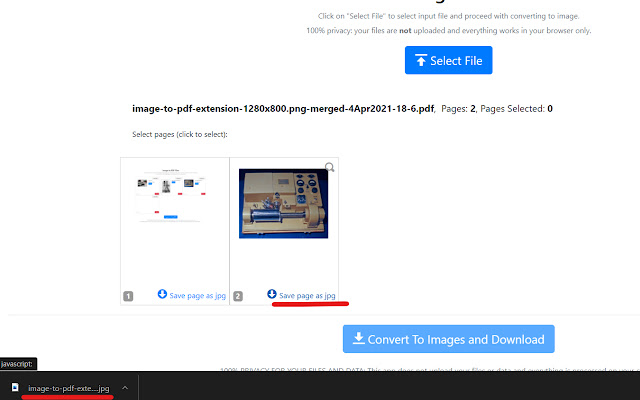
Unduh Berkas CRX Ekstensi PDF to Image (by PDFLite.co)
Unduh file ekstensi PDF to Image (by PDFLite.co) dalam format crx, pasang ekstensi Chrome secara manual di peramban, atau bagikan file crx dengan teman untuk menginstal ekstensi Chrome dengan mudah.
Petunjuk Penggunaan Ekstensi
                        PDF To Image (PDF to Jpeg) with 100% privacy.

- Converts selected pages or page ranges to Jpeg images
- Convert single pdf pages to jpeg or selected page range to zip with jpeg images
- 100% privacy for your files, files are not uploaded to Internet
- No signup, no subscriptions, no fees required
- Works offline
Informasi Dasar Ekstensi
| Nama |  PDF to Image (by PDFLite.co) PDF to Image (by PDFLite.co) |
| ID | jgbghidanihomkdhkdgjgdkdjffccdel |
| URL Resmi | https://chrome.google.com/webstore/detail/pdf-to-image-by-pdfliteco/jgbghidanihomkdhkdgjgdkdjffccdel |
| Deskripsi | PDF to Image with 100% privacy. No uploads required, works offline. |
| Ukuran File | 447 KB |
| Jumlah Instalasi | 63 |
| Versi Saat Ini | 1.0.3 |
| Terakhir Diperbarui | 2021-04-04 |
| Tanggal Publikasi | 2021-04-04 |
| Penilaian | 5.00/5 Total 2 Penilaian |
| Pengembang | http://pdflite.co |
| [email protected] | |
| Tipe Pembayaran | free |
| URL Halaman Kebijakan Privasi | https://pdf.co/pages/legal/privacy |
| Bahasa yang Didukung | en-US |
| manifest.json | |
{
    "update_url": "https:\/\/clients2.google.com\/service\/update2\/crx",
    "manifest_version": 2,
    "version": "1.0.3",
    "name": "PDF to Image (by PDFLite.co)",
    "description": "PDF to Image with 100% privacy. No uploads required, works offline.",
    "author": "PDFLite.co",
    "short_name": "PDFLite.co",
    "icons": {
        "32": "assets\/images\/icon32.png",
        "48": "assets\/images\/icon48.png",
        "64": "assets\/images\/icon64.png",
        "128": "assets\/images\/icon128.png",
        "144": "assets\/images\/icon144.png"
    },
    "browser_action": {
        "default_icon": {
            "32": "assets\/images\/icon32.png"
        },
        "default_title": "PDF to Image (by PDFLite.co)",
        "default_popup": "popup.html"
    }
} | |