Code Injector
Inject code into websites! (JavaScript, CSS, HTML and Files)
Apa itu Code Injector?
Code Injector adalah ekstensi Chrome yang dikembangkan oleh Urmil Parikh, dan fitur utamanya adalah "Inject code into websites! (JavaScript, CSS, HTML and Files)".
Screenshot Ekstensi
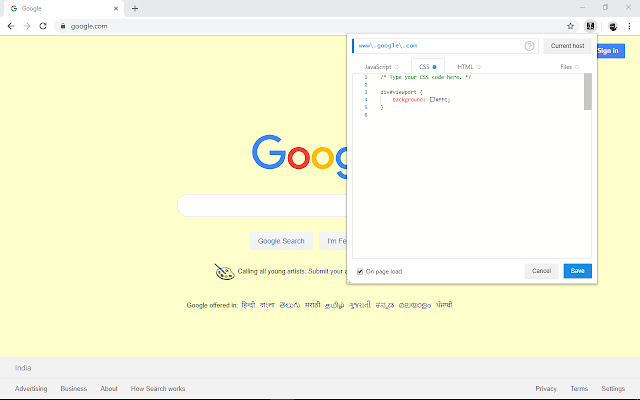
Unduh Berkas CRX Ekstensi Code Injector
Unduh file ekstensi Code Injector dalam format crx, pasang ekstensi Chrome secara manual di peramban, atau bagikan file crx dengan teman untuk menginstal ekstensi Chrome dengan mudah.
Petunjuk Penggunaan Ekstensi
                        A WebExtensions based addon which let the user inject code into the websites. A very handy tool for developers and for automation.

This extension allows you to inject custom JavaScript code, custom CSS or even custom HTML to any web page.

Use it to customize appearance of a page, to auto-fill / auto-click forms on a page or to get rid of selective elements (e.g. advertisements) from a page. Get the control back on your browsing experience.

Backup / restore or share your rules using import/export feature (from Options).

Source code for this extension is available in GitHub, original work by L.Sabatelli.
Informasi Dasar Ekstensi
| Nama |  Code Injector Code Injector |
| ID | jgcallaoodbhagkaoobenaabockcejmc |
| URL Resmi | https://chrome.google.com/webstore/detail/code-injector/jgcallaoodbhagkaoobenaabockcejmc |
| Deskripsi | Inject code into websites! (JavaScript, CSS, HTML and Files) |
| Ukuran File | 1.83 MB |
| Jumlah Instalasi | 2,000 |
| Versi Saat Ini | 0.3.2 |
| Terakhir Diperbarui | 2020-02-25 |
| Tanggal Publikasi | 2020-02-25 |
| Penilaian | 5.00/5 Total 8 Penilaian |
| Pengembang | Urmil Parikh |
| Tipe Pembayaran | free |
| Situs Ekstensi | https://github.com/urmilparikh/Code-Injector |
| URL Halaman Bantuan | https://github.com/urmilparikh/Code-Injector#quick-start |
| Bahasa yang Didukung | en |
| manifest.json | |
{
"update_url": "https:\/\/clients2.google.com\/service\/update2\/crx",
"manifest_version": 2,
"name": "Code Injector",
"version": "0.3.2",
"author": "L.Sabatelli",
"description": "Inject code into websites! (JavaScript, CSS, HTML and Files)",
"permissions": [
" | |