TilePad
Browse Twitter in multi-column mode
Apa itu TilePad?
TilePad adalah ekstensi Chrome yang dikembangkan oleh http://tilepad.co, dan fitur utamanya adalah "Browse Twitter in multi-column mode".
Screenshot Ekstensi
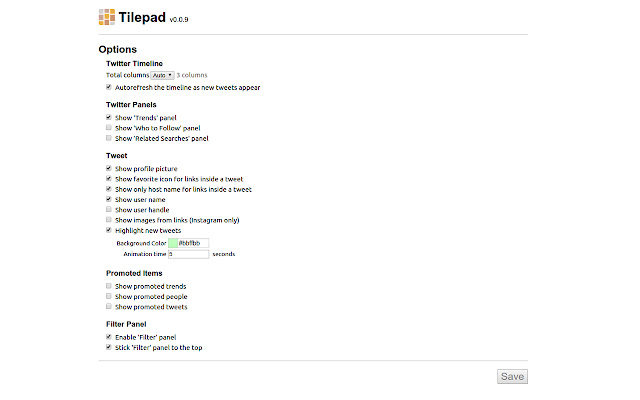
Unduh Berkas CRX Ekstensi TilePad
Unduh file ekstensi TilePad dalam format crx, pasang ekstensi Chrome secara manual di peramban, atau bagikan file crx dengan teman untuk menginstal ekstensi Chrome dengan mudah.
Petunjuk Penggunaan Ekstensi
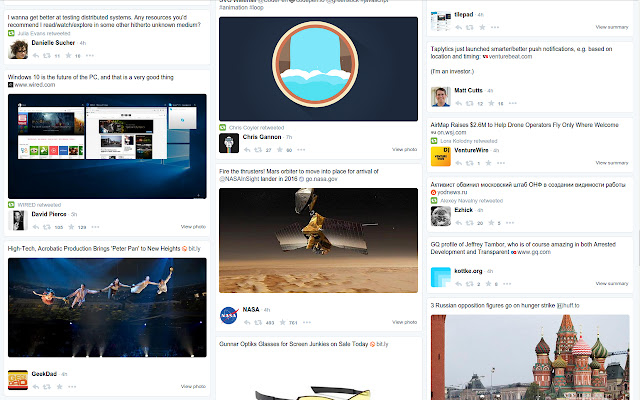
                        TilePad is allowing you to look through Twitter on the screen arranged in several columns. It is especially convenient for big screens. Also contains multiple customization options for viewing Twitter.

HIGHLIGHTS:
★ Multi-column layout
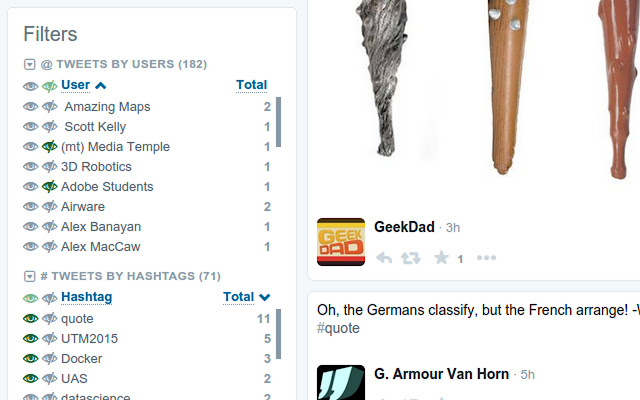
★ Filters and statistics
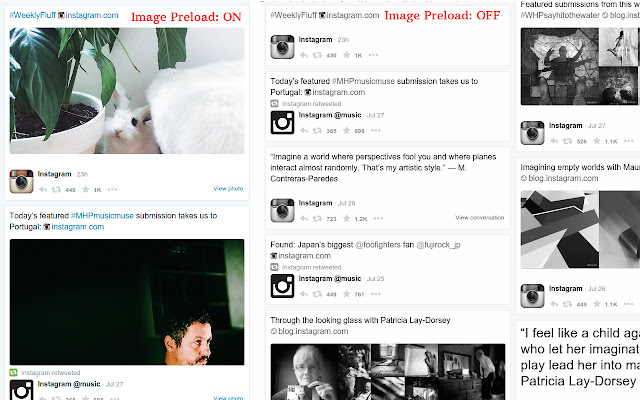
★ Instant Preload Images
★ Timeline Auto Refresh
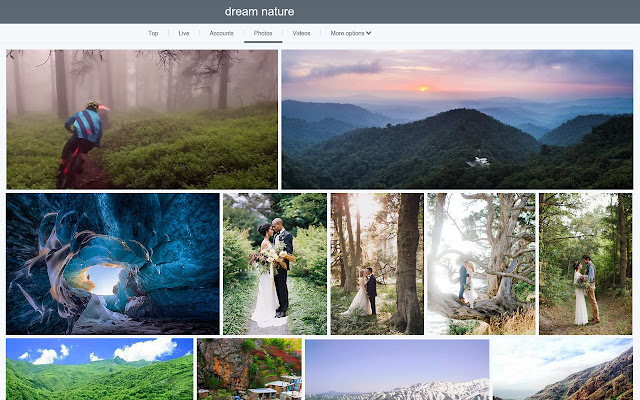
★ Photo Gallery
and more.

PS: Like it? Please follow @Tilepad on Twitter.

=========
CHANGELOG

* v0.0.18
- Remove Tilepad icon from the chrome toolbar

* v0.0.17
- Fixed Instagram CSS layout

* v0.0.16
- Fixed css layout for double/triple photos and embed videos

* v0.0.15
- Fixed css layout

* v0.0.14
- Added "Show New Tweet Mark" feature
- Added advanced filters: Text tweets, Tweets with pics/videos, Tweets with links

* v0.0.13
- Fixed css layout for tweet detail page

* v0.0.12
- Fixed user page layout

* v0.0.11
- Fixed new twitter layout for front page

* v0.0.10
- Fixed instagram images

* v0.0.9
- Improved extension load speed
- Fixed 'Unexpected method' exception

* v0.0.8
- Public release
Informasi Dasar Ekstensi
| Nama |  TilePad TilePad |
| ID | jglhlhdkfaejllkkbcolnkcehcnpcjpf |
| URL Resmi | https://chrome.google.com/webstore/detail/tilepad/jglhlhdkfaejllkkbcolnkcehcnpcjpf |
| Deskripsi | Browse Twitter in multi-column mode |
| Ukuran File | 824 KB |
| Jumlah Instalasi | 15 |
| Versi Saat Ini | 0.0.18 |
| Terakhir Diperbarui | 2016-04-13 |
| Tanggal Publikasi | 2016-04-13 |
| Penilaian | 4.25/5 Total 4 Penilaian |
| Pengembang | http://tilepad.co |
| Tipe Pembayaran | in_store |
| Situs Ekstensi | http://tilepad.co |
| Bahasa yang Didukung | en |
| manifest.json | |
{
    "manifest_version": 2,
    "name": "TilePad",
    "description": "Browse Twitter in multi-column mode",
    "version": "0.0.18",
    "icons": {
        "16": "img\/tilepad-logo-16.png",
        "48": "img\/tilepad-logo-48.png",
        "128": "img\/tilepad-logo-128.png"
    },
    "background": {
        "scripts": [
            "background.min.js"
        ]
    },
    "page_action": {
        "default_title": "Tilepad",
        "default_icon": {
            "19": "img\/tilepad-logo-19.png",
            "38": "img\/tilepad-logo-38.png"
        },
        "default_popup": "popup.html"
    },
    "content_scripts": [
        {
            "run_at": "document_start",
            "js": [
                "content_scripts.min.js"
            ],
            "matches": [
                "*:\/\/*.twitter.com\/*"
            ],
            "all_frames": false
        },
        {
            "run_at": "document_start",
            "js": [],
            "css": [
                "content_scripts.min.css"
            ],
            "matches": [
                "*:\/\/tilepad.css.templates.should.be.never.run.tilepad\/*"
            ],
            "all_frames": false
        }
    ],
    "options_page": "options.html",
    "permissions": [
        "unlimitedStorage",
        "storage",
        "identity",
        "identity.email",
        "webNavigation",
        "webRequest",
        "webRequestBlocking",
        "tabs",
        "http:\/\/*\/*",
        "https:\/\/*\/*",
        "https:\/\/www.googleapis.com\/"
    ],
    "oauth2": {
        "client_id": "815085386768-946pncbq8ulreavvsvidj9hrumbs82vi.apps.googleusercontent.com",
        "scopes": [
            "email",
            "https:\/\/www.googleapis.com\/auth\/chromewebstore.readonly"
        ]
    },
    "update_url": "http:\/\/clients2.google.com\/service\/update2\/crx",
    "web_accessible_resources": [
        "css\/*",
        "img\/*",
        "lib\/*",
        "app\/*",
        "options.html",
        "content_scripts.min.css"
    ],
    "minimum_chrome_version": "37",
    "content_security_policy": "script-src 'self' https:\/\/stats.g.doubleclick.net; object-src 'self'"
} | |