Picture Downloader
Picture Downloader. Browse and save - image downloader on webpages.
Apa itu Picture Downloader?
Picture Downloader adalah ekstensi Chrome yang dikembangkan oleh Picture Downloader, dan fitur utamanya adalah "Picture Downloader. Browse and save - image downloader on webpages.".
Screenshot Ekstensi
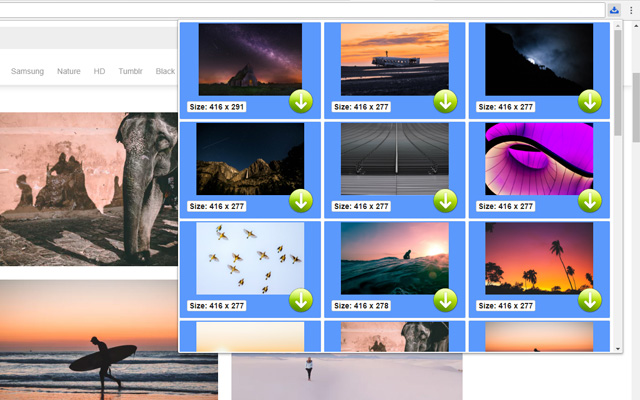
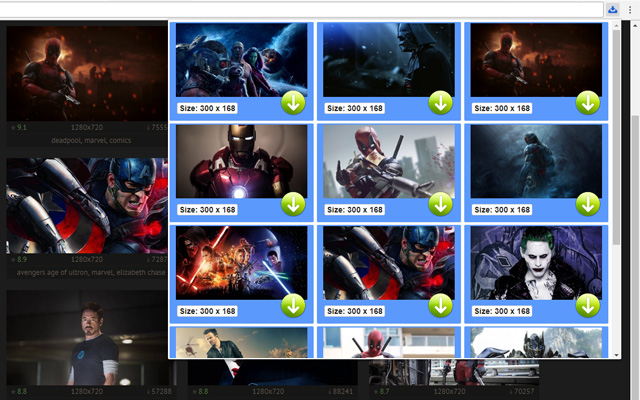

Unduh Berkas CRX Ekstensi Picture Downloader
Unduh file ekstensi Picture Downloader dalam format crx, pasang ekstensi Chrome secara manual di peramban, atau bagikan file crx dengan teman untuk menginstal ekstensi Chrome dengan mudah.
Petunjuk Penggunaan Ekstensi
                        Picture Downloader is useful tool for displaying, browsing and downloading photos from any webpages.

* Finds pictures on any websites.
* The size of each image is displayed.
* Image download to your hard disk.

How it works
************
* Click to the icon on current webpage.
* Here you can start downloading.

Fast and professional Picture Downloader for all users.
Informasi Dasar Ekstensi
| Nama |  Picture Downloader Picture Downloader |
| ID | kokbcpaapofnbifgdlmokekjphgdlphp |
| URL Resmi | https://chrome.google.com/webstore/detail/picture-downloader/kokbcpaapofnbifgdlmokekjphgdlphp |
| Deskripsi | Picture Downloader. Browse and save - image downloader on webpages. |
| Ukuran File | 91.22 KB |
| Jumlah Instalasi | 8,193 |
| Versi Saat Ini | 1.2.2 |
| Terakhir Diperbarui | 2022-11-27 |
| Tanggal Publikasi | 2020-03-11 |
| Penilaian | 2.79/5 Total 29 Penilaian |
| Pengembang | Picture Downloader |
| [email protected] | |
| Tipe Pembayaran | free |
| Bahasa yang Didukung | en |
| manifest.json | |
{
"update_url": "https:\/\/clients2.google.com\/service\/update2\/crx",
"version": "1.2.2",
"name": "Picture Downloader",
"description": "Picture Downloader. Browse and save - image downloader on webpages.",
"background": {
"scripts": [
"jquery.js",
"background.js"
]
},
"browser_action": {
"default_icon": "img\/ico_19.png",
"default_popup": "popup.html"
},
"content_security_policy": "script-src 'self'; object-src 'self'",
"icons": {
"128": "img\/ico_128.png",
"16": "img\/ico_16.png",
"48": "img\/ico_48.png"
},
"manifest_version": 2,
"permissions": [
"activeTab",
" | |