Dictionary+
An advanced dictionary.
Apa itu Dictionary+?
Dictionary+ adalah ekstensi Chrome yang dikembangkan oleh http://www.tanmaypatil.me, dan fitur utamanya adalah "An advanced dictionary.".
Screenshot Ekstensi
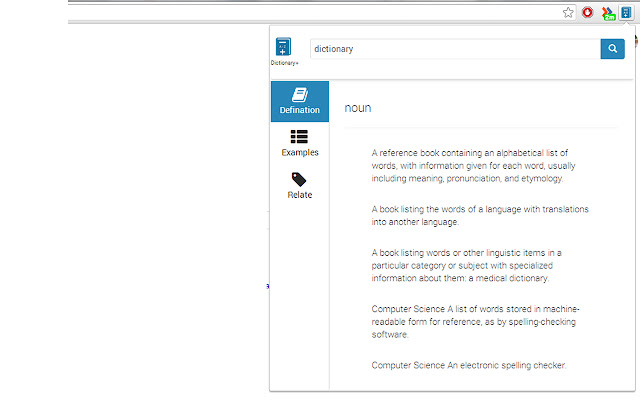


Unduh Berkas CRX Ekstensi Dictionary+
Unduh file ekstensi Dictionary+ dalam format crx, pasang ekstensi Chrome secara manual di peramban, atau bagikan file crx dengan teman untuk menginstal ekstensi Chrome dengan mudah.
Petunjuk Penggunaan Ekstensi
                        View more than definitions while you browse the web.
With this extension, you can:
1) Search a word and get definitions, examples and related words.
2) Get complete definitions with all parts of speech possible.
3) Extension's user interface is focused on a better readability while browsing above features.
4) Get word of the day everyday.

This is a very basic version of the extension. Many features due in next updates.
Stay tuned for the updates! ;)

Upcoming features:
1) Double-click to search a word: with a bubble pop-up.
2) History of words searched.
3) Web and wiki definitions.
4) Pronunciations.

NOTE: This extension uses Wordnik API to fetch definitions, examples and related words.
Informasi Dasar Ekstensi
| Nama |  Dictionary+ Dictionary+ |
| ID | kokooihpgalpliadoojifljfgpeeddmc |
| URL Resmi | https://chrome.google.com/webstore/detail/dictionary+/kokooihpgalpliadoojifljfgpeeddmc |
| Deskripsi | An advanced dictionary. |
| Ukuran File | 482 KB |
| Jumlah Instalasi | 774 |
| Versi Saat Ini | 0.1.4 |
| Terakhir Diperbarui | 2014-03-11 |
| Tanggal Publikasi | 2014-03-11 |
| Penilaian | 4.90/5 Total 10 Penilaian |
| Pengembang | http://www.tanmaypatil.me |
| Tipe Pembayaran | free |
| Bahasa yang Didukung | en |
| manifest.json | |
{
"update_url": "https:\/\/clients2.google.com\/service\/update2\/crx",
"manifest_version": 2,
"content_security_policy": "script-src 'self' 'unsafe-eval'; object-src 'self'",
"name": "Dictionary+",
"description": "An advanced dictionary.",
"version": "0.1.4",
"background": {
"scripts": [
"eventPage.js"
],
"persistent": false
},
"content_scripts": [
{
"matches": [
" | |