NTUWLogin Bot
This extension helps you login to the NTUWL wireless network automatically.
Apa itu NTUWLogin Bot?
NTUWLogin Bot adalah ekstensi Chrome yang dikembangkan oleh Jianfeng, dan fitur utamanya adalah "This extension helps you login to the NTUWL wireless network automatically.".
Screenshot Ekstensi


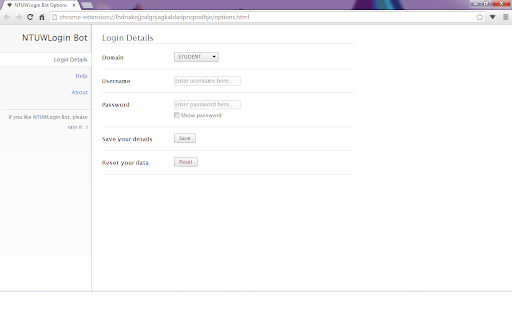
Unduh Berkas CRX Ekstensi NTUWLogin Bot
Unduh file ekstensi NTUWLogin Bot dalam format crx, pasang ekstensi Chrome secara manual di peramban, atau bagikan file crx dengan teman untuk menginstal ekstensi Chrome dengan mudah.
Petunjuk Penggunaan Ekstensi
                        This tiny extension helps you use the NTUWL wireless network in a very convenient way.

Update in 1.2.1. Suggestions for feedback is added to About page.

Update in 1.2.0. Log in address modified to be able to work for more situations.  For example, It will work with wifi near Chinese Library, too.

Every time you are redirected to the login page of NTUWL, NTUWLogin Bot will automatically fill in the form, login for you, and redirect you back.

Just fill in your login details in the options and let NTUWLogin Bot help you.

Btw, NTUWLogin Bot will definitely NOT store your personal information. All your data will be store locally on your computer.
Informasi Dasar Ekstensi
| Nama |  NTUWLogin Bot NTUWLogin Bot |
| ID | lhdnakojjcalgnjagkaldadpncpodhje |
| URL Resmi | https://chromewebstore.google.com/detail/ntuwlogin-bot/lhdnakojjcalgnjagkaldadpncpodhje |
| Deskripsi | This extension helps you login to the NTUWL wireless network automatically. |
| Ukuran File | 54.62 KB |
| Jumlah Instalasi | 111 |
| Versi Saat Ini | 1.2.1 |
| Terakhir Diperbarui | 2014-06-07 |
| Tanggal Publikasi | 2014-06-06 |
| Penilaian | 4.57/5 Total 7 Penilaian |
| Pengembang | Jianfeng |
| Tipe Pembayaran | free |
| Bahasa yang Didukung | en |
| manifest.json | |
{
    "update_url": "https:\/\/clients2.google.com\/service\/update2\/crx",
    "manifest_version": 2,
    "name": "NTUWLogin Bot",
    "description": "This extension helps you login to the NTUWL wireless network automatically.",
    "version": "1.2.1",
    "background": {
        "scripts": [
            "js\/background.js"
        ],
        "persistent": false
    },
    "permissions": [
        "http:\/\/*\/*",
        "https:\/\/*\/*",
        "webNavigation",
        "tabs"
    ],
    "options_page": "options.html",
    "icons": {
        "48": "images\/icon-48.png",
        "128": "images\/icon-128.png"
    },
    "browser_action": {
        "default_icon": {
            "19": "images\/icon-19.png",
            "38": "images\/icon-38.png"
        },
        "default_popup": "popup.html"
    }
} | |