Showroom Full Screen
Maximize Showroom video frame
Cos'è Showroom Full Screen?
Showroom Full Screen è un'estensione di Chrome sviluppata da mxe02332, e la sua funzione principale è "Maximize Showroom video frame".
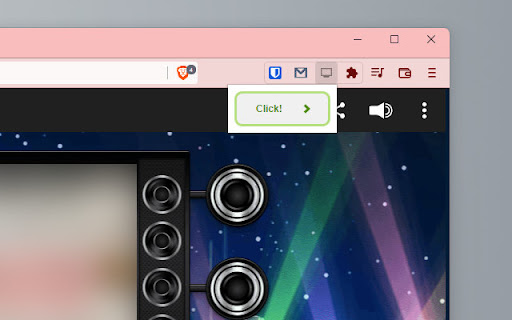
Screenshot dell'Estensione
Scarica il file CRX dell'estensione Showroom Full Screen
Scarica i file di estensione Showroom Full Screen in formato crx, installa manualmente le estensioni di Chrome nel browser o condividi i file crx con gli amici per installare facilmente le estensioni di Chrome.
Istruzioni per l'Uso dell'Estensione
                        Extension for maximizing the video frame of SHOWROOM live.
SHOWROOMの動画部分を全画面表示する拡張機能です。
ライブ画面を開き[Ctrl]+[Shift]+[V]を押すと右上にClickボタンが表示されるので
それをクリックするとビデオ部分がブラウザ内全画面表示になります。
Push [Ctrl]+[Shift]+[V] when you are watching SHOWROOM live and click "Click" button that will appear on the right upper side to maximize video frame within the browser.

更新履歴 (updates):
2022/08/07 パッケージ概要に使用方法を追加 (Short instruction added to the package description)
Informazioni di Base sull'Estensione
| Nome |  Showroom Full Screen Showroom Full Screen |
| ID | abhphkdbmmjhlooblbnfpakchjemjkak |
| URL Ufficiale | https://chromewebstore.google.com/detail/showroom-full-screen/abhphkdbmmjhlooblbnfpakchjemjkak |
| Descrizione | Maximize Showroom video frame |
| Dimensione del File | 14.5 KB |
| Conteggio Installazioni | 1,648 |
| Versione Corrente | 1.0 |
| Ultimo Aggiornamento | 2022-08-09 |
| Data di Pubblicazione | 2022-06-28 |
| Valutazione | 5.00/5 Totale 1 Valutazioni |
| Sviluppatore | mxe02332 |
| [email protected] | |
| Tipo di Pagamento | free |
| Lingue Supportate | ja |
| manifest.json | |
{
    "update_url": "https:\/\/clients2.google.com\/service\/update2\/crx",
    "manifest_version": 3,
    "version": "1.0",
    "name": "Showroom Full Screen",
    "description": "Maximize Showroom video frame",
    "icons": {
        "16": "icon16.png",
        "48": "icon48.png",
        "128": "icon128.png"
    },
    "permissions": [
        "scripting"
    ],
    "host_permissions": [
        "https:\/\/www.showroom-live.com\/"
    ],
    "action": {
        "default_icon": "icon16.png",
        "default_popup": "popup.html"
    },
    "commands": {
        "_execute_action": {
            "suggested_key": {
                "default": "Ctrl+Shift+V",
                "mac": "Command+Shift+V"
            },
            "description": "Enable Full Screen."
        }
    }
} | |