Clipboard++
Copy text without all the fuss.
Cos'è Clipboard++?
Clipboard++ è un'estensione di Chrome sviluppata da fatshogun, e la sua funzione principale è "Copy text without all the fuss.".
Screenshot dell'Estensione


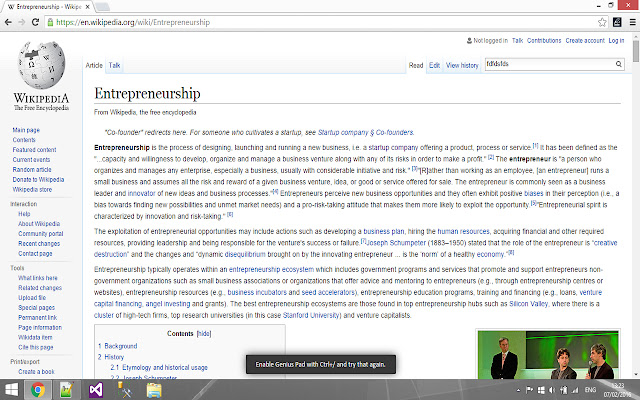

Scarica il file CRX dell'estensione Clipboard++
Scarica i file di estensione Clipboard++ in formato crx, installa manualmente le estensioni di Chrome nel browser o condividi i file crx con gli amici per installare facilmente le estensioni di Chrome.
Istruzioni per l'Uso dell'Estensione
                        Clipboard++ is where the clipboard of your dreams meets the highlighter of the future.

[Ctrl + Click]: Copy and highlight sentence
[Ctrl + C (selection)]: Copy and highlight selection
[Ctrl + Z]: Undo previous selection
[Ctrl + Shift + Z]: Unhighlight entire page
[Ctrl + /]: Enable/Disable for page
[Ctrl + Left/Right Arrow]: Change highlight color

Holding Ctrl and clicking a sentence highlights that sentence and places it in your clipboard. Selecting text and copying it also highlights that text. All of those sentences and text are stored in the background separately for every page, so that you can easily export them to text files, export them all into one single text file or do whatever you please with them.

One of your most beloved features will be the all mighty Undo. Just hit [Ctrl + Z] and the last sentence or piece of text you selected will be removed from the background storage, the highlight will be removed, and best of all, the previous selected text will be placed back in your clipboard.

Hitting [Ctrl + Shift + Z] will remove all highlights on the current page and also remove all text from the background storage for that page.

The colour for the highlighter is easily changed by pressing [Ctrl + Left Arrow] or [Ctrl + Right Arrow].

Clipboard++ is turned on and off by toggling it with [Ctrl + /].

For all of you text junkies, this is your final tool! Enjoy :)
Informazioni di Base sull'Estensione
| Nome |  Clipboard++ Clipboard++ |
| ID | ahmpmpopolpgcemeglalopfjnofakekh |
| URL Ufficiale | https://chrome.google.com/webstore/detail/clipboard++/ahmpmpopolpgcemeglalopfjnofakekh |
| Descrizione | Copy text without all the fuss. |
| Dimensione del File | 388 KB |
| Conteggio Installazioni | 239 |
| Versione Corrente | 1.1 |
| Ultimo Aggiornamento | 2016-02-14 |
| Data di Pubblicazione | 2016-02-11 |
| Valutazione | 4.00/5 Totale 9 Valutazioni |
| Sviluppatore | fatshogun |
| [email protected] | |
| Tipo di Pagamento | free |
| Lingue Supportate | en-US |
| manifest.json | |
{
"update_url": "https:\/\/clients2.google.com\/service\/update2\/crx",
"manifest_version": 2,
"name": "Clipboard++",
"description": "Copy text without all the fuss.",
"version": "1.1",
"content_scripts": [
{
"matches": [
" | |