Table as CSV - Table Capture
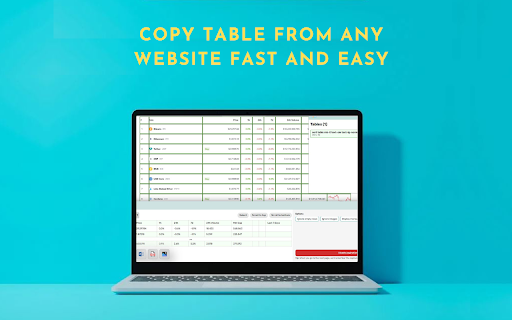
Allows to copy, select, export HTML tables to Microsoft Excel, CSV, Google Sheets, etc
Cos'è Table as CSV - Table Capture?
Table as CSV - Table Capture è un'estensione di Chrome sviluppata da https://sites.google.com/view/winfreestuff/home, e la sua funzione principale è "Allows to copy, select, export HTML tables to Microsoft Excel, CSV, Google Sheets, etc".
Screenshot dell'Estensione

Scarica il file CRX dell'estensione Table as CSV - Table Capture
Scarica i file di estensione Table as CSV - Table Capture in formato crx, installa manualmente le estensioni di Chrome nel browser o condividi i file crx con gli amici per installare facilmente le estensioni di Chrome.
Istruzioni per l'Uso dell'Estensione
                        Table as CSV - Table Capture

ACTIVATE Extension: Purchase Subscribtion

Hot To Use:
1.Go to website when you want to export or copy table
2.Click ctrl + right mouse click when you want select table then ctrl +c
3. If you want select random cells click alt + right mouse click then ctrl +c
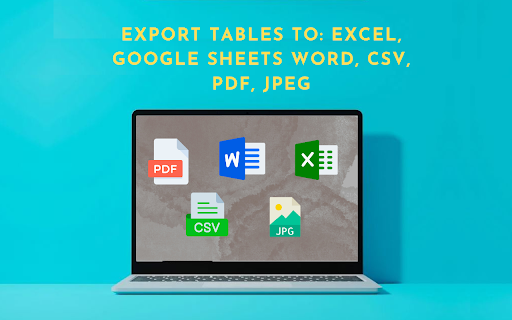
4.To export table to csv, pdf, google sheets, image, jpeg, microsoft word, doc, clipboard


Table as CSV - Table Capture is a powerful and versatile chrome extension that empowers you to interact with HTML tables on websites like never before. With this extension Table as CSV - Table Capture, you can effortlessly copy, select, and export HTML tables to various formats, including Microsoft Excel, CSV, Google Sheets, PDF, images, and more. Whether you need to analyze data with Table as CSV, share it with colleagues, or keep a local backup, this extension Table as CSV provides a seamless and user-friendly experience.

Key Features Table as CSV - Table Capture:

-Copy HTML tables with ease and efficiency
-Export tables as CSV to work with data in spreadsheet applications
-Capture tables as images (PNG, JPEG) or PDF for documentation and sharing
-Download tables directly as Excel spreadsheets or CSV files
-Save tables to your clipboard as Markdown for versatile use
-Export tables to Office 365 for further collaboration and integration
-Supports multi-page tables and dynamically loading tables
-Extract tables from PDF files, both local and from the web
Informazioni di Base sull'Estensione
| Nome |  Table as CSV - Table Capture Table as CSV - Table Capture |
| ID | ajmkldlbkpbhbnblgfadgebkaoadnfld |
| URL Ufficiale | https://chromewebstore.google.com/detail/table-as-csv-table-captur/ajmkldlbkpbhbnblgfadgebkaoadnfld |
| Descrizione | Allows to copy, select, export HTML tables to Microsoft Excel, CSV, Google Sheets, etc |
| Dimensione del File | 1.1 MB |
| Conteggio Installazioni | 672 |
| Versione Corrente | 1.0.4 |
| Ultimo Aggiornamento | 2023-12-05 |
| Data di Pubblicazione | 2023-07-31 |
| Valutazione | 3.60/5 Totale 15 Valutazioni |
| Sviluppatore | https://sites.google.com/view/winfreestuff/home |
| [email protected] | |
| Tipo di Pagamento | free |
| Sito Web dell'Estensione | https://sites.google.com/view/winfreestuff/home |
| URL della Pagina della Politica sulla Privacy | https://twittertomp4.com/privacy-policy |
| Lingue Supportate | en-US |
| manifest.json | |
{
"update_url": "https:\/\/clients2.google.com\/service\/update2\/crx",
"version": "1.0.4",
"description": "Allows to copy, select, export HTML tables to Microsoft Excel, CSV, Google Sheets, etc",
"author": "vlaex | |