Open In Papers
A quick short cut to load a PDF document or web resource into your Papers library.
Cos'è Open In Papers?
Open In Papers è un'estensione di Chrome sviluppata da Max Nanis, e la sua funzione principale è "A quick short cut to load a PDF document or web resource into your Papers library.".
Screenshot dell'Estensione
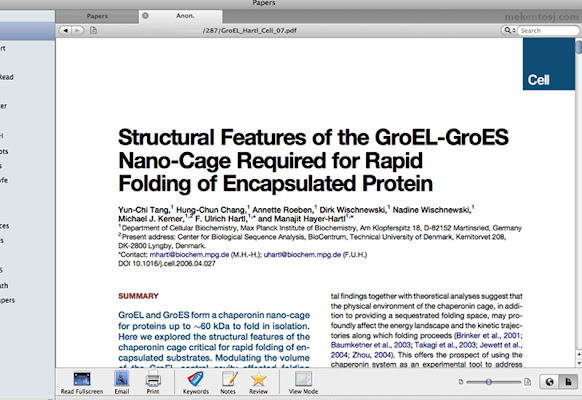

Scarica il file CRX dell'estensione Open In Papers
Scarica i file di estensione Open In Papers in formato crx, installa manualmente le estensioni di Chrome nel browser o condividi i file crx con gli amici per installare facilmente le estensioni di Chrome.
Istruzioni per l'Uso dell'Estensione
                        Papers is an application that lets you view, browse, and search your articles and PDF documents in an iTunes-style interface. The Open in Papers extension adds a handy toolbar button to Chrome so you can open the current web page in Papers. It acts as a replacement for the Papers bookmarklet.

Papers is an article organizer created by mekentosj. It can be found here: http://mekentosj.com/papers/

(If you're interested in more apps like this, you can follow me @x0xMaximus.)
Informazioni di Base sull'Estensione
| Nome |  Open In Papers Open In Papers |
| ID | alcjaongigldhgeocjdgdlmlccjgmfgf |
| URL Ufficiale | https://chrome.google.com/webstore/detail/open-in-papers/alcjaongigldhgeocjdgdlmlccjgmfgf |
| Descrizione | A quick short cut to load a PDF document or web resource into your Papers library. |
| Dimensione del File | 42.87 KB |
| Conteggio Installazioni | 4,447 |
| Versione Corrente | 1.2 |
| Ultimo Aggiornamento | 2013-10-13 |
| Data di Pubblicazione | 2013-10-13 |
| Valutazione | 2.88/5 Totale 65 Valutazioni |
| Sviluppatore | Max Nanis |
| Tipo di Pagamento | free |
| Sito Web dell'Estensione | http://maxnanis.com |
| URL della Pagina di Aiuto | http://support.mekentosj.com/ |
| Lingue Supportate | en |
| manifest.json | |
{
    "update_url": "https:\/\/clients2.google.com\/service\/update2\/crx",
    "name": "Open In Papers",
    "description": "A quick short cut to load a PDF document or web resource into your Papers library.",
    "version": "1.2",
    "manifest_version": 2,
    "icons": {
        "16": "images\/icon_16.png",
        "48": "images\/icon_48.png",
        "128": "images\/icon_128.png"
    },
    "permissions": [
        "activeTab"
    ],
    "background": {
        "scripts": [
            "background.js"
        ]
    },
    "browser_action": {
        "default_title": "Open in Papers",
        "default_icon": "images\/icon_16.png"
    }
} | |