Volar Extension
This extension allows products to create a community of users and interact with them on top of the product workspace
Cos'è Volar Extension?
Volar Extension è un'estensione di Chrome sviluppata da https://volar.team, e la sua funzione principale è "This extension allows products to create a community of users and interact with them on top of the product workspace".
Screenshot dell'Estensione
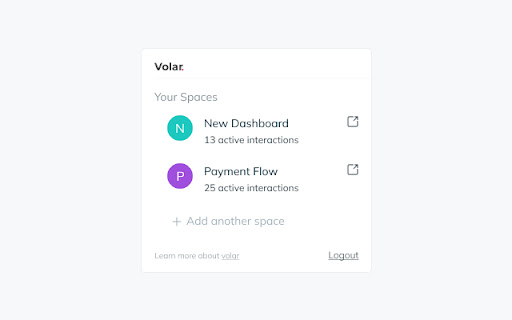
Scarica il file CRX dell'estensione Volar Extension
Scarica i file di estensione Volar Extension in formato crx, installa manualmente le estensioni di Chrome nel browser o condividi i file crx con gli amici per installare facilmente le estensioni di Chrome.
Istruzioni per l'Uso dell'Estensione
This extension allows products to create a community of users and interact with them on top of the product workspace Informazioni di Base sull'Estensione
| Nome |  Volar Extension Volar Extension |
| ID | bnhoabahleojonmphahepenligekpdbm |
| URL Ufficiale | https://chromewebstore.google.com/detail/volar-extension/bnhoabahleojonmphahepenligekpdbm |
| Descrizione | This extension allows products to create a community of users and interact with them on top of the product workspace |
| Dimensione del File | 472 KB |
| Conteggio Installazioni | 53 |
| Versione Corrente | 1.0.50 |
| Ultimo Aggiornamento | 2023-08-08 |
| Data di Pubblicazione | 2022-10-12 |
| Sviluppatore | https://volar.team |
| [email protected] | |
| Tipo di Pagamento | free |
| URL della Pagina della Politica sulla Privacy | https://www.volar.team/privacy-policy |
| Lingue Supportate | en-US |
| manifest.json | |
{
"update_url": "https:\/\/clients2.google.com\/service\/update2\/crx",
"author": "Volar",
"description": "This extension allows products to create a community of users and interact with them on top of the product workspace",
"name": "Volar Extension",
"version": "1.0.50",
"manifest_version": 3,
"action": {
"default_icon": {
"16": "icons\/16.png",
"19": "icons\/19.png",
"32": "icons\/32.png",
"38": "icons\/38.png"
},
"default_popup": "src\/entries\/popup\/index.html"
},
"background": {
"service_worker": "serviceWorker.js",
"type": "module"
},
"web_accessible_resources": [
{
"resources": [
"\/fonts\/Mulish-Regular.ttf",
"\/fonts\/Mulish-Light.ttf",
"\/images\/not-found.png"
],
"matches": [
" | |