PGP Anywhere
Use PGP wherever you are
Cos'è PGP Anywhere?
PGP Anywhere è un'estensione di Chrome sviluppata da Nicolas Giese, e la sua funzione principale è "Use PGP wherever you are".
Screenshot dell'Estensione
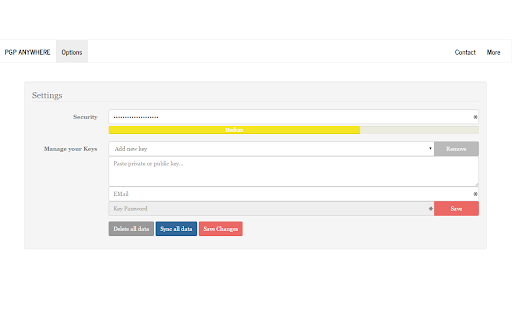
Scarica il file CRX dell'estensione PGP Anywhere
Scarica i file di estensione PGP Anywhere in formato crx, installa manualmente le estensioni di Chrome nel browser o condividi i file crx con gli amici per installare facilmente le estensioni di Chrome.
Istruzioni per l'Uso dell'Estensione
                        Use PGP wherever you are - including encryption and digital signatures!

++ Full clientside encryption of your keyring ++ Cloud - Synchronization ++ Anonymous ++ Simple & Fast ++ Open Source ++ Active Development ++ Support for digital signatures ++

Permissions required:
- Storage (to be allowed to sync encrypted keyrings to the cloud)
- Identity (to be able to check if the user is logged in and initiating sync)

Source: https://github.com/JamesCullum/PGP-Anywhere
Informazioni di Base sull'Estensione
| Nome |  PGP Anywhere PGP Anywhere |
| ID | cdlcdnmhcodhagbmljapgbjdimjckilb |
| URL Ufficiale | https://chromewebstore.google.com/detail/pgp-anywhere/cdlcdnmhcodhagbmljapgbjdimjckilb |
| Descrizione | Use PGP wherever you are |
| Dimensione del File | 1.5 MB |
| Conteggio Installazioni | 3,420 |
| Versione Corrente | 5.0.2 |
| Ultimo Aggiornamento | 2021-07-21 |
| Data di Pubblicazione | 2018-02-18 |
| Valutazione | 4.08/5 Totale 167 Valutazioni |
| Sviluppatore | Nicolas Giese |
| [email protected] | |
| Tipo di Pagamento | free |
| Lingue Supportate | de,en |
| manifest.json | |
{
    "update_url": "https:\/\/clients2.google.com\/service\/update2\/crx",
    "manifest_version": 2,
    "name": "PGP Anywhere",
    "description": "__MSG_manifest_description__",
    "default_locale": "en",
    "version": "5.0.2",
    "icons": {
        "16": "img\/favicon_16.png",
        "48": "img\/favicon_48.png",
        "64": "img\/favicon.png",
        "128": "img\/favicon_128.png"
    },
    "options_page": "html\/options.html",
    "browser_action": {
        "default_icon": "img\/favicon_19.png",
        "default_popup": "html\/popup.html"
    },
    "permissions": [
        "storage",
        "identity",
        "identity.email"
    ],
    "background": {
        "scripts": [
            "js\/jquery.min.js",
            "js\/background.js"
        ]
    }
} | |