Voice Control for Video
Control Netflix and YouTube playback through speech commands
Cos'è Voice Control for Video?
Voice Control for Video è un'estensione di Chrome sviluppata da resay2k, e la sua funzione principale è "Control Netflix and YouTube playback through speech commands".
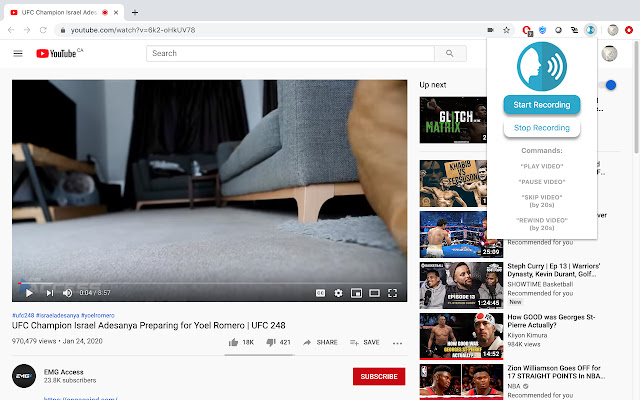
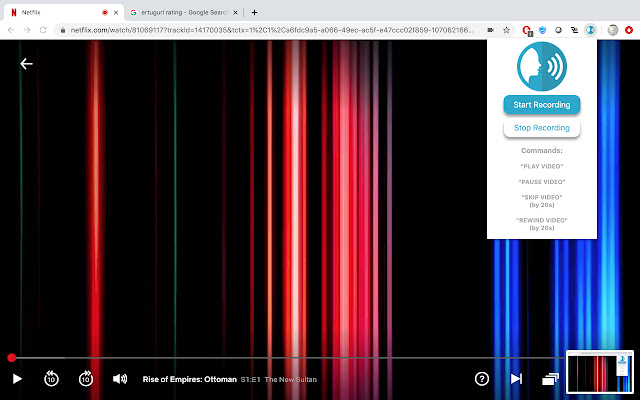
Screenshot dell'Estensione

Scarica il file CRX dell'estensione Voice Control for Video
Scarica i file di estensione Voice Control for Video in formato crx, installa manualmente le estensioni di Chrome nel browser o condividi i file crx con gli amici per installare facilmente le estensioni di Chrome.
Istruzioni per l'Uso dell'Estensione
                        Why get your keyboard and mouse dirty while you eat and watch videos?

Click on the start recording button or press CTRL(Command for Mac) + E to start or stop voice control. Use commands like:

"Play Video"
"Pause Video"
"Skip Video"
"Rewind Video"


Built by: Yaser I. Muhammad N. Maanas D. and Aamir Z.
Informazioni di Base sull'Estensione
| Nome |  Voice Control for Video Voice Control for Video |
| ID | chlidlijeeodennooemopellplaflomd |
| URL Ufficiale | https://chrome.google.com/webstore/detail/voice-control-for-video/chlidlijeeodennooemopellplaflomd |
| Descrizione | Control Netflix and YouTube playback through speech commands |
| Dimensione del File | 45.84 KB |
| Conteggio Installazioni | 211 |
| Versione Corrente | 0.0.1 |
| Ultimo Aggiornamento | 2020-02-05 |
| Data di Pubblicazione | 2020-02-05 |
| Valutazione | 3.75/5 Totale 8 Valutazioni |
| Sviluppatore | resay2k |
| [email protected] | |
| Tipo di Pagamento | free |
| Lingue Supportate | en |
| manifest.json | |
{
"update_url": "https:\/\/clients2.google.com\/service\/update2\/crx",
"name": "Voice Control for Video",
"version": "0.0.1",
"description": "Control Netflix and YouTube playback through speech commands",
"permissions": [
"notifications",
"activeTab",
"declarativeContent",
"storage"
],
"background": {
"scripts": [
"background.js"
],
"persistent": false
},
"browser_action": {
"default_title": "Ctrl + E to start or stop voice control",
"default_popup": "popup.html",
"default_icon": {
"16": "images\/voice16.png",
"32": "images\/voice32.png",
"48": "images\/voice48.png",
"128": "images\/voice128.png"
}
},
"icons": {
"16": "images\/voice16.png",
"32": "images\/voice32.png",
"48": "images\/voice48.png",
"128": "images\/voice128.png"
},
"content_scripts": [
{
"js": [
"content.js"
],
"matches": [
" | |