Send+Tag for Gmail
This is a simple extension to help you quickly tag emails you're sending out with your most commonly used label.
Cos'è Send+Tag for Gmail?
Send+Tag for Gmail è un'estensione di Chrome sviluppata da PendarLabs.com, e la sua funzione principale è "This is a simple extension to help you quickly tag emails you're sending out with your most commonly used label.".
Screenshot dell'Estensione

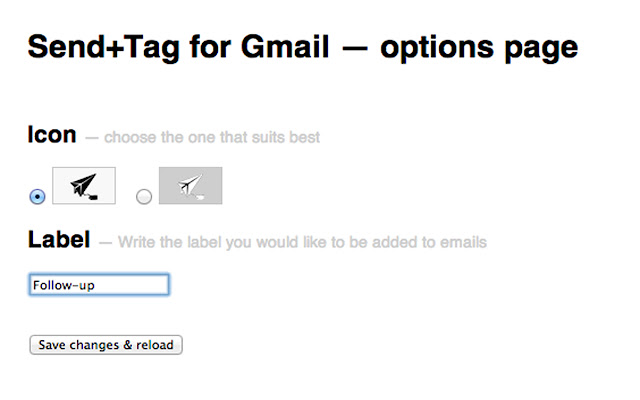
Scarica il file CRX dell'estensione Send+Tag for Gmail
Scarica i file di estensione Send+Tag for Gmail in formato crx, installa manualmente le estensioni di Chrome nel browser o condividi i file crx con gli amici per installare facilmente le estensioni di Chrome.
Istruzioni per l'Uso dell'Estensione
Simply set the label name you use most often in the extension's options page (comma separate the tags to attach more than one tag). Then every time you open a Gmail compose window, you'll see a "Send & Tag" button, which will automatically apply your tag to the outgoing message. Informazioni di Base sull'Estensione
| Nome |  Send+Tag for Gmail Send+Tag for Gmail |
| ID | dgikghkkfnendpjahhbphoeflhfapabi |
| URL Ufficiale | https://chrome.google.com/webstore/detail/send+tag-for-gmail/dgikghkkfnendpjahhbphoeflhfapabi |
| Descrizione | This is a simple extension to help you quickly tag emails you're sending out with your most commonly used label. |
| Dimensione del File | 103 KB |
| Conteggio Installazioni | 22 |
| Versione Corrente | 0.1.8 |
| Ultimo Aggiornamento | 2013-10-17 |
| Data di Pubblicazione | 2013-10-17 |
| Valutazione | 4.67/5 Totale 3 Valutazioni |
| Sviluppatore | PendarLabs.com |
| Tipo di Pagamento | free |
| Lingue Supportate | en |
| manifest.json | |
{
    "update_url": "https:\/\/clients2.google.com\/service\/update2\/crx",
    "manifest_version": 2,
    "name": "Send+Tag for Gmail",
    "description": "This is a simple extension to help you quickly tag emails you're sending out with your most commonly used label.",
    "version": "0.1.8",
    "background": {
        "page": "background.html"
    },
    "options_page": "options.html",
    "permissions": [
        "https:\/\/mail.google.com\/",
        "http:\/\/mail.google.com\/",
        "tabs",
        "storage"
    ],
    "content_scripts": [
        {
            "matches": [
                "https:\/\/mail.google.com\/*",
                "http:\/\/mail.google.com\/*"
            ],
            "js": [
                "js\/jquery.js",
                "js\/follow.js"
            ]
        }
    ],
    "icons": {
        "16": "img\/icon_dark.png",
        "48": "img\/icon_big.png",
        "128": "img\/icon_big.png"
    },
    "browser_action": {
        "default_title": "Go to Gmail",
        "default_icon": "img\/icon_dark.png"
    }
} | |