Video Commander
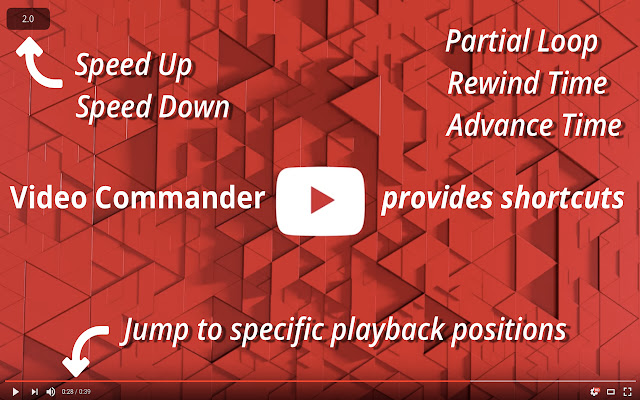
Video Commander provides keyboard shortcuts to loop, speed up, speed down, rewind time, advance time and other handy actions
Cos'è Video Commander?
Video Commander è un'estensione di Chrome sviluppata da noraworld, e la sua funzione principale è "Video Commander provides keyboard shortcuts to loop, speed up, speed down, rewind time, advance time and other handy actions".
Screenshot dell'Estensione
Scarica il file CRX dell'estensione Video Commander
Scarica i file di estensione Video Commander in formato crx, installa manualmente le estensioni di Chrome nel browser o condividi i file crx con gli amici per installare facilmente le estensioni di Chrome.
Istruzioni per l'Uso dell'Estensione
                        # Features
These shortcuts are available on the HTML5 video sites.

* P or space - toggle play and pause
* H or 0 - jump to beginning
* E - jump to end
* A or left arrow - rewind time
* S or right arrow - advance time
* D - speed down
* U - speed up
* R - reset speed
* F - toggle full screen
* L - partial loop
* 1 - jump to 10% playback position
* 2 - jump to 20% playback position
* 3 - jump to 30% playback position
* 4 - jump to 40% playback position
* 5 - jump to 50% playback position
* 6 - jump to 60% playback position
* 7 - jump to 70% playback position
* 8 - jump to 80% playback position
* 9 - jump to 90% playback position
* esc, ctrl-c - reset loop status
* esc - unfocus any elements

These shortcut keys are modifiable on options page. You can also change skip time amount(s) and whether scroll to player automatically or not.

For details, see https://github.com/noraworld/videocommander/blob/master/README.md


# Change Log
See https://github.com/noraworld/videocommander/blob/master/CHANGELOG.md


# Support
日本語もサポートしています。https://github.com/noraworld/videocommander/blob/master/README_jp.md を参照してください。
Informazioni di Base sull'Estensione
| Nome |  Video Commander Video Commander |
| ID | eadjicgcnpgfmklebobjkhlippgepdii |
| URL Ufficiale | https://chrome.google.com/webstore/detail/video-commander/eadjicgcnpgfmklebobjkhlippgepdii |
| Descrizione | Video Commander provides keyboard shortcuts to loop, speed up, speed down, rewind time, advance time and other handy actions |
| Dimensione del File | 1.08 MB |
| Conteggio Installazioni | 479 |
| Versione Corrente | 0.4 |
| Ultimo Aggiornamento | 2017-10-07 |
| Data di Pubblicazione | 2017-10-07 |
| Valutazione | 3.82/5 Totale 17 Valutazioni |
| Sviluppatore | noraworld |
| Tipo di Pagamento | free |
| Sito Web dell'Estensione | https://github.com/noraworld/videocommander |
| URL della Pagina di Aiuto | https://github.com/noraworld/videocommander/issues |
| Lingue Supportate | en |
| manifest.json | |
{
"update_url": "https:\/\/clients2.google.com\/service\/update2\/crx",
"name": "Video Commander",
"short_name": "videocommander",
"version": "0.4",
"manifest_version": 2,
"description": "Video Commander provides keyboard shortcuts to loop, speed up, speed down, rewind time, advance time and other handy actions",
"homepage_url": "https:\/\/github.com\/noraworld\/videocommander",
"icons": {
"16": "icons\/icon16.png",
"48": "icons\/icon48.png",
"128": "icons\/icon128.png"
},
"permissions": [
"activeTab",
"storage"
],
"options_page": "options.html",
"browser_action": {
"default_icon": "icons\/icon128.png"
},
"content_scripts": [
{
"all_frames": true,
"matches": [
" | |