Prizetyper
Practice typing famous quotes or compete against other users in a race through space to increase your typing speed
Cos'è Prizetyper?
Prizetyper è un'estensione di Chrome sviluppata da http://prizetyper.com, e la sua funzione principale è "Practice typing famous quotes or compete against other users in a race through space to increase your typing speed".
Screenshot dell'Estensione
Scarica il file CRX dell'estensione Prizetyper
Scarica i file di estensione Prizetyper in formato crx, installa manualmente le estensioni di Chrome nel browser o condividi i file crx con gli amici per installare facilmente le estensioni di Chrome.
Istruzioni per l'Uso dell'Estensione
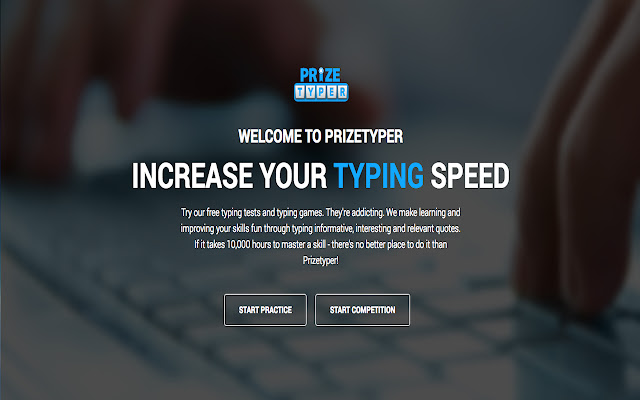
Try our free typing tests and typing games. They're addicting. We make learning and improving your skills fun through typing informative, interesting and relevant quotes. If it takes 10,000 hours to master a skill - there's no better place to do it than Prizetyper! You can practice by yourself, compete against other users or friends in a race through space and enter to win prizes. Informazioni di Base sull'Estensione
| Nome |  Prizetyper Prizetyper |
| ID | eapfjlnglelpjinebkehikoheflhkpbk |
| URL Ufficiale | https://chrome.google.com/webstore/detail/prizetyper/eapfjlnglelpjinebkehikoheflhkpbk |
| Descrizione | Practice typing famous quotes or compete against other users in a race through space to increase your typing speed |
| Dimensione del File | 52.63 KB |
| Conteggio Installazioni | 214 |
| Versione Corrente | 1.0 |
| Ultimo Aggiornamento | 2016-11-28 |
| Data di Pubblicazione | 2016-11-28 |
| Valutazione | 3.33/5 Totale 3 Valutazioni |
| Sviluppatore | http://prizetyper.com |
| [email protected] | |
| Tipo di Pagamento | free |
| Sito Web dell'Estensione | http://prizetyper.com |
| Lingue Supportate | en |
| manifest.json | |
{
    "update_url": "https:\/\/clients2.google.com\/service\/update2\/crx",
    "name": "Prizetyper",
    "description": "Practice typing famous quotes or compete against other users in a race through space to increase your typing speed",
    "version": "1.0",
    "manifest_version": 2,
    "background": {
        "scripts": [
            "background.js"
        ]
    },
    "browser_action": {
        "default_icon": "16.png"
    },
    "icons": {
        "128": "128.png"
    }
} | |