Zip Convert Ace
Extract zipped files and compress files with ease!
Cos'è Zip Convert Ace?
Zip Convert Ace è un'estensione di Chrome sviluppata da S2N Media, e la sua funzione principale è "Extract zipped files and compress files with ease!".
Screenshot dell'Estensione

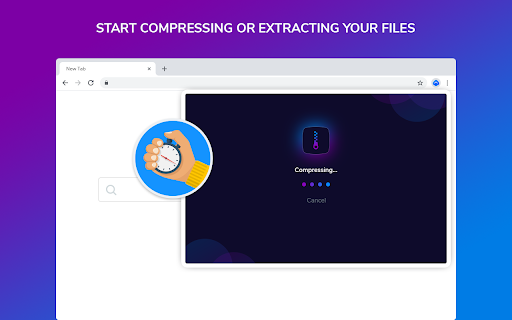

Scarica il file CRX dell'estensione Zip Convert Ace
Scarica i file di estensione Zip Convert Ace in formato crx, installa manualmente le estensioni di Chrome nel browser o condividi i file crx con gli amici per installare facilmente le estensioni di Chrome.
Istruzioni per l'Uso dell'Estensione
                        A powerful and versatile archive manager that compresses and extracts files in just two clicks. Zip/Rar and Unzip files for free! Click on the icon will open the application without disrupting your work.

By clicking "Add to chrome", I accept and agree to install this extension.

For more information see our Terms at:
About -  https://www.zipconvertaceapp.com
Contact -  https://www.zipconvertaceapp.com/contact.html
EULA - https://www.zipconvertaceapp.com/eula.html
Privacy - https://www.zipconvertaceapp.com/privacy.html
Informazioni di Base sull'Estensione
| Nome |  Zip Convert Ace Zip Convert Ace |
| ID | eblclajmcecmjbgmmlbnkklonnhilhbj |
| URL Ufficiale | https://chromewebstore.google.com/detail/zip-convert-ace/eblclajmcecmjbgmmlbnkklonnhilhbj |
| Descrizione | Extract zipped files and compress files with ease! |
| Dimensione del File | 36.66 KB |
| Conteggio Installazioni | 31 |
| Versione Corrente | 1.0.0 |
| Ultimo Aggiornamento | 2020-10-30 |
| Data di Pubblicazione | 2020-10-30 |
| Valutazione | 3.00/5 Totale 1 Valutazioni |
| Sviluppatore | S2N Media |
| [email protected] | |
| Tipo di Pagamento | free |
| URL della Pagina della Politica sulla Privacy | https://www.zipconvertaceapp.com/privacy.html |
| Lingue Supportate | en |
| manifest.json | |
{
    "manifest_version": 2,
    "name": "Zip Convert Ace",
    "update_url": "http:\/\/clients2.google.com\/service\/update2\/crx",
    "version": "1.0.0",
    "description": "Extract zipped files and compress files with ease!",
    "icons": {
        "16": "icons\/16.png",
        "96": "icons\/48.png",
        "128": "icons\/128.png"
    },
    "browser_action": {
        "default_icon": {
            "16": "icons\/16.png",
            "96": "icons\/48.png",
            "128": "icons\/128.png"
        },
        "default_title": "Zip Convert Ace",
        "default_popup": "popup.html"
    },
    "permissions": [],
    "background": {
        "page": "background.html",
        "persistent": false
    }
} | |
![Universal Extractor Download [Window 10,7,8]](https://lh3.googleusercontent.com/qRkKuS0PTkkxbCI0GTE6i3g8_c7T-pIxC00hkhItXiqSLKraz38wOdPwfj-o4TaCCmPT0vyguQ)