Loadmill Test Composer
Generate API Tests using AI
Cos'è Loadmill Test Composer?
Loadmill Test Composer è un'estensione di Chrome sviluppata da https://loadmill.com, e la sua funzione principale è "Generate API Tests using AI".
Screenshot dell'Estensione
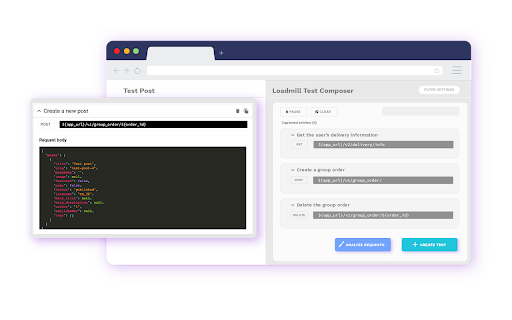
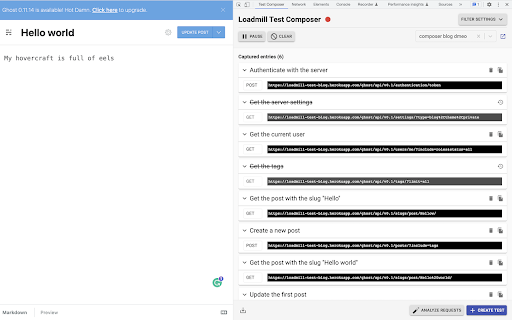
Scarica il file CRX dell'estensione Loadmill Test Composer
Scarica i file di estensione Loadmill Test Composer in formato crx, installa manualmente le estensioni di Chrome nel browser o condividi i file crx con gli amici per installare facilmente le estensioni di Chrome.
Istruzioni per l'Uso dell'Estensione
                        Loadmill Test Composer uses AI to generate automated API tests in real-time, right from your browser.

Spend less time creating boilerplate and repetitive test code and more time adding your human insights to your tests. Play a user flow in your app, and the Test Composer will immediately generate an end-to-end API test script for it.

How to use the Chrome dev tools to generate an end-to-end API test:
➤ Open the Chrome Developer Tools and switch to the Loadmill Composer tab
➤ If you are not logged in to Loadmill, you will be prompted to the login page
➤ Play a the user flow you would like to test and let Loadmill analyze your API requests
➤ When you are done performing your tested user flow, click the Create Test button at the bottom

★ What's new
• Better support for multi-systems testing. Upload HARs to combine recordings from multiple applications into a single test flow
• Test analysis will now use your account algorithm settings
• Improving the ability to hide and obfuscate sensitive values
• No longer clearing the request list after test creation
• Updated UI visuals and Layout
• Adding automated API descriptions
• Filter irrelevant requests from your session in one click
• View WebSocket binary messages in clear text
• WebSocket! WebSocket events are now included in the generated tests.
• "Non-API call" filter bug fixed
• Syntax highlighting for JSON
• Showing the request and response body
• Better control on which requests will be filtered out
• Fixed bug for when no test suite is selected
• Copy a single request and paste it into your Loadmill tests
• Better support for base64 encoded responses
• JavaScript stack trace removed from HAR files to make them smaller
• Create a new test suite by typing its name in the test suite selector bar
• updated to work with the new app.loadmill.com subdomain
• Better error reporting
• Fixed test analysis regression
Informazioni di Base sull'Estensione
| Nome |  Loadmill Test Composer Loadmill Test Composer |
| ID | gdkmnfehipofdefhpegbgkkocinlaofd |
| URL Ufficiale | https://chromewebstore.google.com/detail/loadmill-test-composer/gdkmnfehipofdefhpegbgkkocinlaofd |
| Descrizione | Generate API Tests using AI |
| Dimensione del File | 1.69 MB |
| Conteggio Installazioni | 1,081 |
| Versione Corrente | 0.30 |
| Ultimo Aggiornamento | 2024-02-06 |
| Data di Pubblicazione | 2020-02-14 |
| Valutazione | 5.00/5 Totale 7 Valutazioni |
| Sviluppatore | https://loadmill.com |
| [email protected] | |
| Tipo di Pagamento | free |
| Sito Web dell'Estensione | https://www.loadmill.com |
| URL della Pagina di Aiuto | https://docs.loadmill.com |
| URL della Pagina della Politica sulla Privacy | https://app.loadmill.com/assets/privacy-policy.pdf |
| Lingue Supportate | en |
| manifest.json | |
{
"update_url": "https:\/\/clients2.google.com\/service\/update2\/crx",
"name": "Loadmill Test Composer",
"description": "Generate API Tests using AI",
"version": "0.30",
"manifest_version": 3,
"permissions": [
"clipboardWrite",
"storage",
"tabs",
"webRequest"
],
"host_permissions": [
"ws:\/\/*\/*",
"wss:\/\/*\/*",
" | |