Certified Screenshot
Certified Screenshot (by easytimestamping.com). Easily capture and certify a screenshot of any web page.
Cos'è Certified Screenshot?
Certified Screenshot è un'estensione di Chrome sviluppata da https://easytimestamping.com, e la sua funzione principale è "Certified Screenshot (by easytimestamping.com). Easily capture and certify a screenshot of any web page.".
Screenshot dell'Estensione
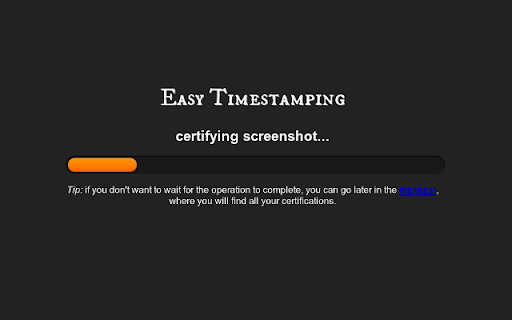


Scarica il file CRX dell'estensione Certified Screenshot
Scarica i file di estensione Certified Screenshot in formato crx, installa manualmente le estensioni di Chrome nel browser o condividi i file crx con gli amici per installare facilmente le estensioni di Chrome.
Istruzioni per l'Uso dell'Estensione
                        Easily capture and certify a screenshot of any web page.

Use it to record online fraud, copyright infringement, cyberstalking, cyberbullying or other abuses, including all the information commonly requested by law enforcement agencies in just a single click.

This plugin will capture any web page and output a pdf file containing a screenshot, the html source, and domain registration info. The pdf is 'notarized' by easytimestamping.com using a trusted timestamp.

Thanks to powerful cryptographic techniques,  the generated pdf guarantees that the content has not been modified since the exact moment the screenshot was captured.  Any modification to the pdf can be detected with 100% certainty.

To use this plugin you must login at easytimestamping.com with an existing Google, Facebook, or OpenID account.

All timestamps are issued by a Qualified Certification Authority accredited in the EU and in the Trusted list of Certification Service Providers

Fully compliant with the Italian Codice dell'Amministrazione Digitale.

--
New in version 0.4.3:

 * fixed capture issue introduced in chrome version 34
 * use more restrictive and secure permissions
Informazioni di Base sull'Estensione
| Nome |  Certified Screenshot Certified Screenshot |
| ID | gidbebhhkamojdpahpgmliaddcplobdn |
| URL Ufficiale | https://chromewebstore.google.com/detail/certified-screenshot/gidbebhhkamojdpahpgmliaddcplobdn |
| Descrizione | Certified Screenshot (by easytimestamping.com). Easily capture and certify a screenshot of any web page. |
| Dimensione del File | 451 KB |
| Conteggio Installazioni | 24 |
| Versione Corrente | 0.4.3 |
| Ultimo Aggiornamento | 2014-04-12 |
| Data di Pubblicazione | 2014-04-12 |
| Valutazione | 2.80/5 Totale 10 Valutazioni |
| Sviluppatore | https://easytimestamping.com |
| Tipo di Pagamento | free |
| Sito Web dell'Estensione | http://easytimestamping.com |
| URL della Pagina di Aiuto | http://securo.it/support |
| Lingue Supportate | en |
| manifest.json | |
{
    "update_url": "https:\/\/clients2.google.com\/service\/update2\/crx",
    "version": "0.4.3",
    "name": "__MSG_name__",
    "description": "__MSG_description__",
    "background": {
        "page": "background.html",
        "persistent": true
    },
    "browser_action": {
        "default_icon": "images\/icon_19.png",
        "default_title": "__MSG_default_title__",
        "default_popup": "popup.html"
    },
    "content_scripts": [
        {
            "matches": [
                "http:\/\/*\/*",
                "https:\/\/*\/*",
                "ftp:\/\/*\/*",
                "file:\/\/*\/*"
            ],
            "js": [
                "page.js",
                "shortcut.js"
            ],
            "css": [
                "style.css"
            ],
            "run_at": "document_end"
        }
    ],
    "default_locale": "en",
    "icons": {
        "16": "images\/icon_16.png",
        "19": "images\/icon_19.png",
        "32": "images\/icon_32.png",
        "48": "images\/icon_48.png",
        "128": "images\/icon_128.png"
    },
    "content_security_policy": "script-src 'self' https:\/\/ajax.googleapis.com https:\/\/fonts.googleapis.com; object-src 'self'",
    "manifest_version": 2,
    "permissions": [
        "tabs",
        "notifications",
        "cookies",
        "activeTab",
        "*:\/\/easytimestamping.com\/",
        "*:\/\/api.securo.it\/*"
    ],
    "plugins": [
        {
            "path": "plugin\/screen_capture.dll"
        },
        {
            "path": "plugin\/screen_capture.so"
        },
        {
            "path": "plugin\/screen_capture_64.so"
        },
        {
            "path": "plugin\/screen_capture.plugin"
        }
    ],
    "web_accessible_resources": [
        "page_context.js",
        "style.css"
    ]
} | |