Dictionary and Flashcards
View translations and add flashcards easily as you browse the web.
Cos'è Dictionary and Flashcards?
Dictionary and Flashcards è un'estensione di Chrome sviluppata da Studylib.net, e la sua funzione principale è "View translations and add flashcards easily as you browse the web.".
Screenshot dell'Estensione

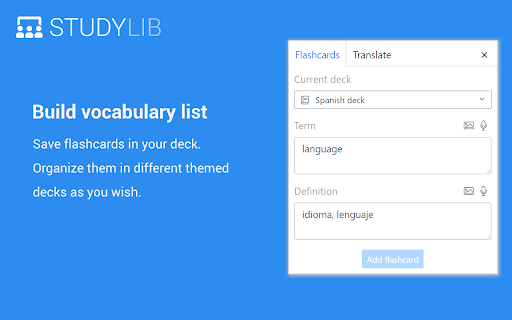
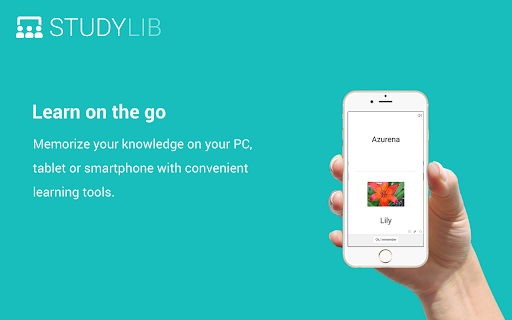
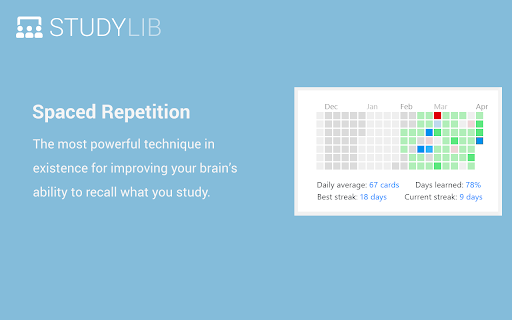
Scarica il file CRX dell'estensione Dictionary and Flashcards
Scarica i file di estensione Dictionary and Flashcards in formato crx, installa manualmente le estensioni di Chrome nel browser o condividi i file crx con gli amici per installare facilmente le estensioni di Chrome.
Istruzioni per l'Uso dell'Estensione
                        Important: This extension does not support the "Learning in New Tab" feature. Look for the "Studylib New Tab" extension if you need this feature.

Dictionary and Flashcards extension helps you easily understand foreign language text on any Internet page. Just select a word to see its translation and save it if you wish to memorize it. The extension even translates whole phrases. Dictionary contains more than 100 supported languages


With this extension, you can:
1) Select any word to view its translation in a small pop-up bubble.
2) Save translated words to Studylib deck, so you can practice them later.
3) Add flashcards with images and audio easily.


IMPORTANT:
 - The pop-up bubble will not work in tabs that were open prior to installation. After installing this extension, either reload your open tabs or restart Chrome.
Informazioni di Base sull'Estensione
| Nome |  Dictionary and Flashcards Dictionary and Flashcards |
| ID | gplfbclbkplhmjblennehlnjfnngncgc |
| URL Ufficiale | https://chromewebstore.google.com/detail/dictionary-and-flashcards/gplfbclbkplhmjblennehlnjfnngncgc |
| Descrizione | View translations and add flashcards easily as you browse the web. |
| Dimensione del File | 2.62 MB |
| Conteggio Installazioni | 1,254 |
| Versione Corrente | 1.0.255 |
| Ultimo Aggiornamento | 2021-01-27 |
| Data di Pubblicazione | 2020-05-17 |
| Valutazione | 2.86/5 Totale 7 Valutazioni |
| Sviluppatore | Studylib.net |
| [email protected] | |
| Tipo di Pagamento | free |
| Sito Web dell'Estensione | https://studylib.net |
| URL della Pagina della Politica sulla Privacy | https://studylib.net/privacy |
| Lingue Supportate | en,ru |
| manifest.json | |
{
"update_url": "https:\/\/clients2.google.com\/service\/update2\/crx",
"manifest_version": 2,
"version": "1.0.255",
"default_locale": "en",
"name": "__MSG_manifestName__",
"description": "__MSG_manifestDescription__",
"icons": {
"16": "assets\/img\/favicon-16x16.png",
"32": "assets\/img\/favicon-32x32.png",
"128": "assets\/img\/favicon-128x128.png",
"194": "assets\/img\/favicon-194x194.png"
},
"content_security_policy": "script-src 'self' https:\/\/www.google-analytics.com; object-src 'self'",
"permissions": [
"tabs",
"activeTab",
"storage",
"contextMenus",
"http:\/\/*\/*",
"https:\/\/*\/*",
"file:\/\/\/"
],
"background": {
"scripts": [
"background.js"
],
"persistent": false
},
"content_scripts": [
{
"matches": [
" | |