LI Folders
A extension to organize your linkedin posts
Cos'è LI Folders?
LI Folders è un'estensione di Chrome sviluppata da li-folders-nanlabs, e la sua funzione principale è "A extension to organize your linkedin posts".
Screenshot dell'Estensione
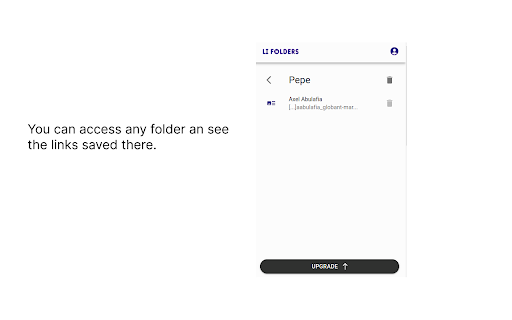
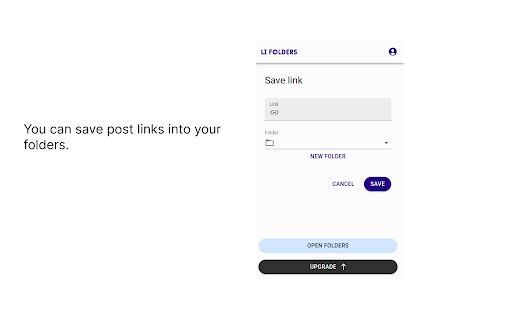
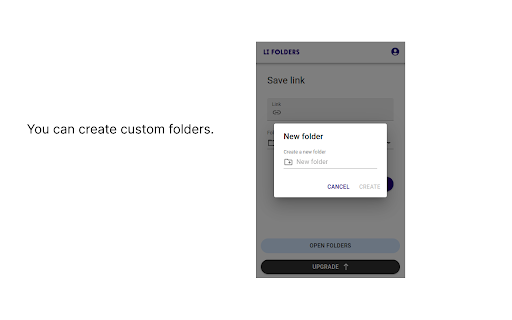


Scarica il file CRX dell'estensione LI Folders
Scarica i file di estensione LI Folders in formato crx, installa manualmente le estensioni di Chrome nel browser o condividi i file crx con gli amici per installare facilmente le estensioni di Chrome.
Istruzioni per l'Uso dell'Estensione
                        Have you ever felt like your saved LinkedIn posts are buried in a digital junk drawer? You know they're in there somewhere, but finding them feels like a game of hide-and-seek with no end in sight.

That's where LI Folders comes in - we're the Marie Kondo of your LinkedIn content (she’s a famous organizer if you didn’t know).

Declutter your saved posts and organize them into tidy little folders that spark joy. Say goodbye to digital clutter and hello to a more efficient and enjoyable LinkedIn experience.

P.S. LI Folders is a self-funded team of 1 so I'm pumped you're considering using it. If you have any feedback or just want to say hi, shoot me an email at [email protected]. I reply to everyone.
Informazioni di Base sull'Estensione
| Nome |  LI Folders LI Folders |
| ID | kaoldoegfkjkihpfmnlijajofdpbeklp |
| URL Ufficiale | https://chromewebstore.google.com/detail/li-folders/kaoldoegfkjkihpfmnlijajofdpbeklp |
| Descrizione | A extension to organize your linkedin posts |
| Dimensione del File | 977 KB |
| Conteggio Installazioni | 82 |
| Versione Corrente | 0.10.2 |
| Ultimo Aggiornamento | 2023-10-21 |
| Data di Pubblicazione | 2023-09-11 |
| Valutazione | 5.00/5 Totale 6 Valutazioni |
| Sviluppatore | li-folders-nanlabs |
| [email protected] | |
| Tipo di Pagamento | in_app |
| Sito Web dell'Estensione | https://www.lifolders.com/ |
| URL della Pagina della Politica sulla Privacy | https://docs.google.com/document/d/1nKCU40p2pP-26Dh7okP4XalSke6y-ix9ajMvOsGUIf4/edit?usp=sharing |
| Lingue Supportate | en |
| manifest.json | |
{
    "update_url": "https:\/\/clients2.google.com\/service\/update2\/crx",
    "manifest_version": 3,
    "name": "LI Folders",
    "version": "0.10.2",
    "description": "A extension to organize your linkedin posts",
    "action": {
        "default_popup": "src\/popup\/index.html",
        "default_icon": "icon-34.png"
    },
    "icons": {
        "128": "icon-128.png"
    },
    "content_scripts": [
        {
            "matches": [
                "https:\/\/www.linkedin.com\/*"
            ],
            "js": [
                "src\/content\/index.js"
            ],
            "css": []
        }
    ],
    "web_accessible_resources": [
        {
            "resources": [
                "assets\/js\/*.js",
                "assets\/css\/*.css",
                "assets\/png\/*.png",
                "icon-34.png",
                "icon-128.png",
                "src\/iframe\/index.html"
            ],
            "matches": [
                "https:\/\/www.linkedin.com\/*"
            ]
        }
    ],
    "permissions": [
        "activeTab"
    ]
} | |