Relative Links To Absolute
Adds an additional address to relative paths to files (images). Converts a relative link to an absolute one. If you are developing…
Cos'è Relative Links To Absolute?
Relative Links To Absolute è un'estensione di Chrome sviluppata da Dmitry Rodevich, e la sua funzione principale è "Adds an additional address to relative paths to files (images). Converts a relative link to an absolute one. If you are developing…".
Screenshot dell'Estensione

Scarica il file CRX dell'estensione Relative Links To Absolute
Scarica i file di estensione Relative Links To Absolute in formato crx, installa manualmente le estensioni di Chrome nel browser o condividi i file crx con gli amici per installare facilmente le estensioni di Chrome.
Istruzioni per l'Uso dell'Estensione
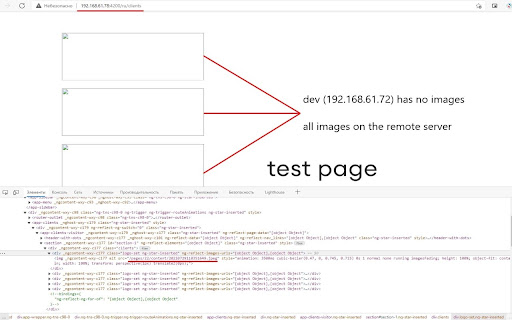
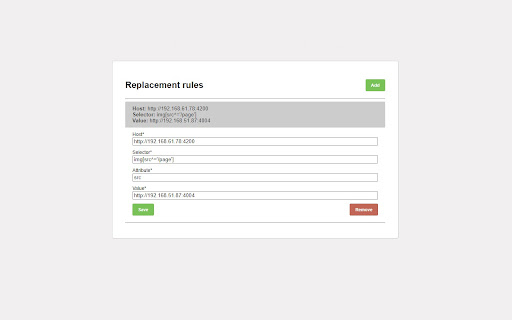
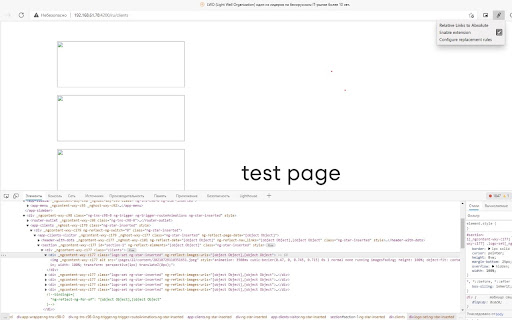
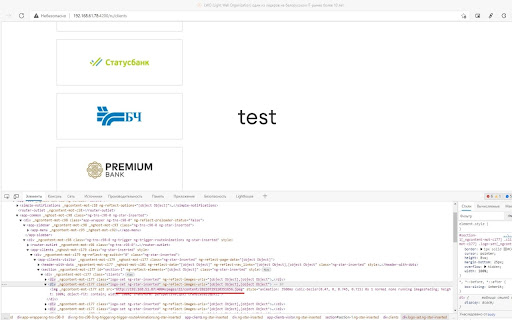
                        Adds an additional address to relative paths to files (images). Converts a relative link to an absolute one.
If you are developing a web application and the files are stored on a remote server, the extension allows you to specify the full path from where you want to take the images without any additional actions.
Informazioni di Base sull'Estensione
| Nome |  Relative Links To Absolute Relative Links To Absolute |
| ID | lafddlfgimneffahboncpgapcnnjckjm |
| URL Ufficiale | https://chromewebstore.google.com/detail/relative-links-to-absolut/lafddlfgimneffahboncpgapcnnjckjm |
| Descrizione | Adds an additional address to relative paths to files (images). Converts a relative link to an absolute one. If you are developing… |
| Dimensione del File | 12.5 KB |
| Conteggio Installazioni | 24 |
| Versione Corrente | 1.0 |
| Ultimo Aggiornamento | 2021-12-30 |
| Data di Pubblicazione | 2021-09-07 |
| Sviluppatore | Dmitry Rodevich |
| [email protected] | |
| Tipo di Pagamento | free |
| URL della Pagina della Politica sulla Privacy | https://raw.githubusercontent.com/rodewitsch/ChromeExtensionsPrivacy/main/privacy.html |
| Lingue Supportate | en |
| manifest.json | |
{
"update_url": "https:\/\/clients2.google.com\/service\/update2\/crx",
"manifest_version": 2,
"name": "Relative Links To Absolute",
"version": "1.0",
"browser_action": {
"default_icon": "icon128.png",
"default_popup": "\/popup\/popup.html"
},
"content_scripts": [
{
"matches": [
" | |