AppViewer Video Player
เพิ่มคุณสมบัติที่จะทำให้คุณสามารถรับชม AppViewer ได้อย่างสมบูรณ์!
Cos'è AppViewer Video Player?
AppViewer Video Player è un'estensione di Chrome sviluppata da Likecyber.com, e la sua funzione principale è "เพิ่มคุณสมบัติที่จะทำให้คุณสามารถรับชม AppViewer ได้อย่างสมบูรณ์!".
Screenshot dell'Estensione
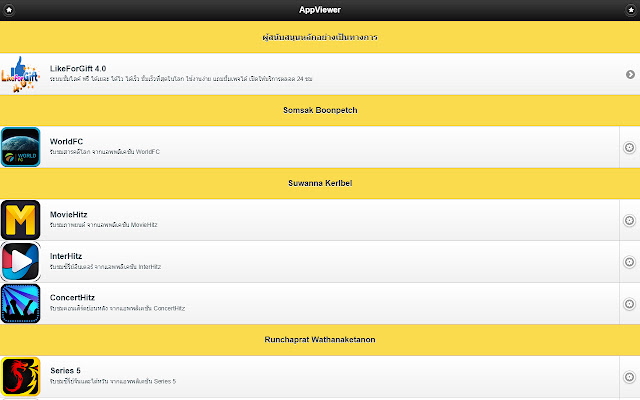
Scarica il file CRX dell'estensione AppViewer Video Player
Scarica i file di estensione AppViewer Video Player in formato crx, installa manualmente le estensioni di Chrome nel browser o condividi i file crx con gli amici per installare facilmente le estensioni di Chrome.
Istruzioni per l'Uso dell'Estensione
เมื่อคุณติดตั้งส่วนเสริมนี้ คุณจะสามารถรับชมวิดีโอบน AppViewer.in.th ได้อย่างสมบูรณ์! Informazioni di Base sull'Estensione
| Nome |  AppViewer Video Player AppViewer Video Player |
| ID | lakjkbnhfhfmndoefdhaonjpnikdimml |
| URL Ufficiale | https://chrome.google.com/webstore/detail/appviewer-video-player/lakjkbnhfhfmndoefdhaonjpnikdimml |
| Descrizione | เพิ่มคุณสมบัติที่จะทำให้คุณสามารถรับชม AppViewer ได้อย่างสมบูรณ์! |
| Dimensione del File | 40.86 KB |
| Conteggio Installazioni | 401 |
| Versione Corrente | 1.0.0 |
| Ultimo Aggiornamento | 2014-12-17 |
| Data di Pubblicazione | 2014-12-17 |
| Valutazione | 4.91/5 Totale 11 Valutazioni |
| Sviluppatore | Likecyber.com |
| Tipo di Pagamento | free |
| Sito Web dell'Estensione | http://www.appviewer.in.th |
| URL della Pagina di Aiuto | http://www.appviewer.in.th |
| Lingue Supportate | th |
| manifest.json | |
{
"update_url": "https:\/\/clients2.google.com\/service\/update2\/crx",
"name": "AppViewer Video Player",
"version": "1.0.0",
"description": "\u0e40\u0e1e\u0e34\u0e48\u0e21\u0e04\u0e38\u0e13\u0e2a\u0e21\u0e1a\u0e31\u0e15\u0e34\u0e17\u0e35\u0e48\u0e08\u0e30\u0e17\u0e33\u0e43\u0e2b\u0e49\u0e04\u0e38\u0e13\u0e2a\u0e32\u0e21\u0e32\u0e23\u0e16\u0e23\u0e31\u0e1a\u0e0a\u0e21 AppViewer \u0e44\u0e14\u0e49\u0e2d\u0e22\u0e48\u0e32\u0e07\u0e2a\u0e21\u0e1a\u0e39\u0e23\u0e13\u0e4c!",
"homepage_url": "http:\/\/www.appviewer.in.th",
"icons": {
"16": "icon16.png",
"48": "icon48.png",
"128": "icon128.png"
},
"background": {
"scripts": [
"background.js"
]
},
"browser_action": {
"default_icon": "icon19.png"
},
"permissions": [
"webRequest",
"webRequestBlocking",
" | |





![[Earthchie] ทำให้เว็บกลับมามีสี](https://lh3.googleusercontent.com/7RojQ3qGqqINZpg4Mry82khIjrZyJp66ktomEZUo8A85n0uuvy3FuVY1hcZ-ihghW26HK7uuT5VzLbxQ2fy3e3x1)