Cisco Network Setup Assistant
Cisco Network Setup Assistant is used to connect devices securely to networks utilizing Cisco Identity Services Engine.
Cos'è Cisco Network Setup Assistant?
Cisco Network Setup Assistant è un'estensione di Chrome sviluppata da Cisco Systems, Inc., e la sua funzione principale è "Cisco Network Setup Assistant is used to connect devices securely to networks utilizing Cisco Identity Services Engine.".
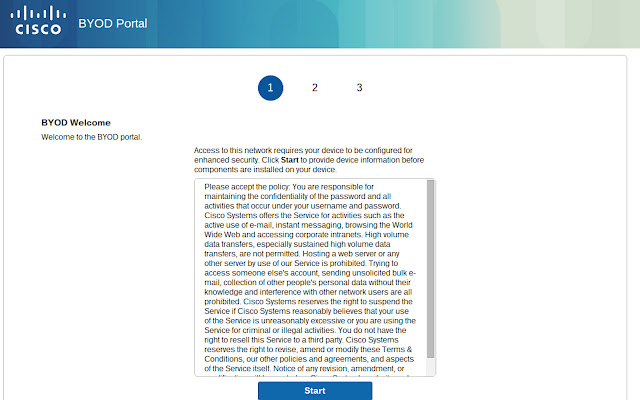
Screenshot dell'Estensione

Scarica il file CRX dell'estensione Cisco Network Setup Assistant
Scarica i file di estensione Cisco Network Setup Assistant in formato crx, installa manualmente le estensioni di Chrome nel browser o condividi i file crx con gli amici per installare facilmente le estensioni di Chrome.
Istruzioni per l'Uso dell'Estensione
NOTE: Do not install this extension from the web store. If this extension is required, it will be automatically installed on your Chromebook by the network administrator. If you have a problem accessing the network - contact your helpdesk or network administrator. Informazioni di Base sull'Estensione
| Nome |  Cisco Network Setup Assistant Cisco Network Setup Assistant |
| ID | ldlfakmjimohnhnpgnjmjkdnaiegiebg |
| URL Ufficiale | https://chrome.google.com/webstore/detail/cisco-network-setup-assis/ldlfakmjimohnhnpgnjmjkdnaiegiebg |
| Descrizione | Cisco Network Setup Assistant is used to connect devices securely to networks utilizing Cisco Identity Services Engine. |
| Dimensione del File | 223 KB |
| Conteggio Installazioni | 50,000 |
| Versione Corrente | 2.1.0.35 |
| Ultimo Aggiornamento | 2016-05-18 |
| Data di Pubblicazione | 2016-05-18 |
| Valutazione | 3.27/5 Totale 22 Valutazioni |
| Sviluppatore | Cisco Systems, Inc. |
| Tipo di Pagamento | free |
| Lingue Supportate | de,en,fr,nl,es,it,hu,pl,pt-BR,cs,ru,zh-CN,zh-TW,ja,ko |
| manifest.json | |
{
    "update_url": "https:\/\/clients2.google.com\/service\/update2\/crx",
    "manifest_version": 2,
    "name": "__MSG_app_name__",
    "storage": {
        "managed_schema": "schema.json"
    },
    "description": "__MSG_app_description__",
    "icons": {
        "128": "image\/ise48.png"
    },
    "version": "2.1.0.35",
    "default_locale": "en",
    "content_scripts": [
        {
            "matches": [
                "https:\/\/*\/portal\/*"
            ],
            "js": [
                "content_script.js"
            ],
            "css": [
                "style\/ChromeBYOD.css"
            ],
            "run_at": "document_start"
        }
    ],
    "background": {
        "scripts": [
            "forge.bundle.js",
            "onboarding.js",
            "popupUtils.js"
        ],
        "persistent": false
    },
    "permissions": [
        "identity",
        "tabs",
        "storage",
        "fileSystem",
        "enterprise.platformKeys",
        "https:\/\/www.google.com"
    ],
    "web_accessible_resources": [
        "\/image\/*.png"
    ]
} | |