NTUWLogin Bot
This extension helps you login to the NTUWL wireless network automatically.
Cos'è NTUWLogin Bot?
NTUWLogin Bot è un'estensione di Chrome sviluppata da Jianfeng, e la sua funzione principale è "This extension helps you login to the NTUWL wireless network automatically.".
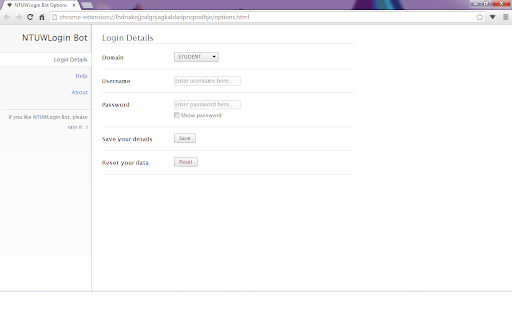
Screenshot dell'Estensione


Scarica il file CRX dell'estensione NTUWLogin Bot
Scarica i file di estensione NTUWLogin Bot in formato crx, installa manualmente le estensioni di Chrome nel browser o condividi i file crx con gli amici per installare facilmente le estensioni di Chrome.
Istruzioni per l'Uso dell'Estensione
                        This tiny extension helps you use the NTUWL wireless network in a very convenient way.

Update in 1.2.1. Suggestions for feedback is added to About page.

Update in 1.2.0. Log in address modified to be able to work for more situations.  For example, It will work with wifi near Chinese Library, too.

Every time you are redirected to the login page of NTUWL, NTUWLogin Bot will automatically fill in the form, login for you, and redirect you back.

Just fill in your login details in the options and let NTUWLogin Bot help you.

Btw, NTUWLogin Bot will definitely NOT store your personal information. All your data will be store locally on your computer.
Informazioni di Base sull'Estensione
| Nome |  NTUWLogin Bot NTUWLogin Bot |
| ID | lhdnakojjcalgnjagkaldadpncpodhje |
| URL Ufficiale | https://chromewebstore.google.com/detail/ntuwlogin-bot/lhdnakojjcalgnjagkaldadpncpodhje |
| Descrizione | This extension helps you login to the NTUWL wireless network automatically. |
| Dimensione del File | 54.62 KB |
| Conteggio Installazioni | 111 |
| Versione Corrente | 1.2.1 |
| Ultimo Aggiornamento | 2014-06-07 |
| Data di Pubblicazione | 2014-06-06 |
| Valutazione | 4.57/5 Totale 7 Valutazioni |
| Sviluppatore | Jianfeng |
| Tipo di Pagamento | free |
| Lingue Supportate | en |
| manifest.json | |
{
    "update_url": "https:\/\/clients2.google.com\/service\/update2\/crx",
    "manifest_version": 2,
    "name": "NTUWLogin Bot",
    "description": "This extension helps you login to the NTUWL wireless network automatically.",
    "version": "1.2.1",
    "background": {
        "scripts": [
            "js\/background.js"
        ],
        "persistent": false
    },
    "permissions": [
        "http:\/\/*\/*",
        "https:\/\/*\/*",
        "webNavigation",
        "tabs"
    ],
    "options_page": "options.html",
    "icons": {
        "48": "images\/icon-48.png",
        "128": "images\/icon-128.png"
    },
    "browser_action": {
        "default_icon": {
            "19": "images\/icon-19.png",
            "38": "images\/icon-38.png"
        },
        "default_popup": "popup.html"
    }
} | |