Read to me
Browser extension for text to speech.
Cos'è Read to me?
Read to me è un'estensione di Chrome sviluppata da nGran, e la sua funzione principale è "Browser extension for text to speech.".
Screenshot dell'Estensione
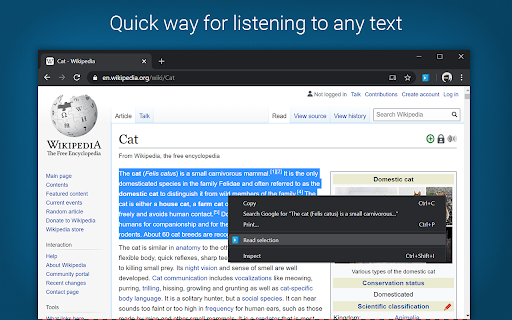


Scarica il file CRX dell'estensione Read to me
Scarica i file di estensione Read to me in formato crx, installa manualmente le estensioni di Chrome nel browser o condividi i file crx con gli amici per installare facilmente le estensioni di Chrome.
Istruzioni per l'Uso dell'Estensione
                        Listen to any text in your browser in a voice of your choice.

READ TO ME is a text to speech Chrome extension for reading out loud any text in your browser in many languages. The app makes listening to everything on your screen effortless with a functional smooth design and customizable options as a selection of male and female voices, voice pitch and reading speed.

Spoken text has several advantages over reading. The most obvious one is the option to multitask as your eyes and hands are free, but also it is considered that it can enhance comprehension. Listening is also great for those with disabilities or disadvantages that make reading either impossible or extremely difficult.
Informazioni di Base sull'Estensione
| Nome |  Read to me Read to me |
| ID | nalcmippmnicanikekphpdmmcgoojjlm |
| URL Ufficiale | https://chromewebstore.google.com/detail/read-to-me/nalcmippmnicanikekphpdmmcgoojjlm |
| Descrizione | Browser extension for text to speech. |
| Dimensione del File | 758 KB |
| Conteggio Installazioni | 9,000 |
| Versione Corrente | 1.1.0 |
| Ultimo Aggiornamento | 2020-04-24 |
| Data di Pubblicazione | 2020-04-20 |
| Valutazione | 1.86/5 Totale 7 Valutazioni |
| Sviluppatore | nGran |
| [email protected] | |
| Tipo di Pagamento | free |
| Lingue Supportate | en |
| manifest.json | |
{
"update_url": "https:\/\/clients2.google.com\/service\/update2\/crx",
"manifest_version": 2,
"name": "Read to me",
"version": "1.1.0",
"description": "Browser extension for text to speech.",
"author": "Nikola Grancharov",
"permissions": [
"contextMenus",
"storage",
"tabs",
"https:\/\/*\/"
],
"icons": {
"16": "img\/logo_16x16.png",
"32": "img\/logo_32x32.png",
"48": "img\/logo_48x48.png",
"64": "img\/logo_64x64.png",
"128": "img\/logo_128x128.png"
},
"content_security_policy": "script-src 'self' https:\/\/ssl.google-analytics.com; object-src 'self'",
"content_scripts": [
{
"matches": [
" | |