Vardast Chrome Extension
Vardast
Cos'è Vardast Chrome Extension?
Vardast Chrome Extension è un'estensione di Chrome sviluppata da http://vardastapp.com, e la sua funzione principale è "Vardast".
Screenshot dell'Estensione


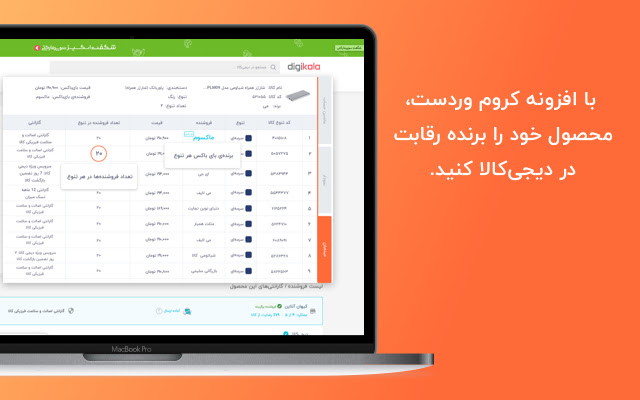
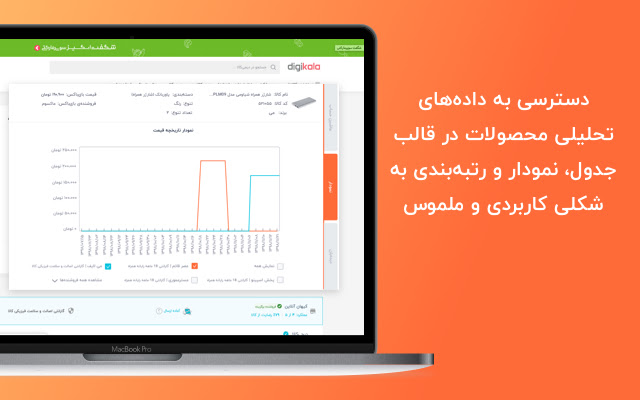
Scarica il file CRX dell'estensione Vardast Chrome Extension
Scarica i file di estensione Vardast Chrome Extension in formato crx, installa manualmente le estensioni di Chrome nel browser o condividi i file crx con gli amici per installare facilmente le estensioni di Chrome.
Istruzioni per l'Uso dell'Estensione
                        By using Vardast extension, choosing the right product to be sold on Digikala's marketplace will be hassle-free. We'll take care of the data and process them for you, and you only have to follow them.

By having Vardast extension on your browser, you'll save time and frustration to find profitable niches quickly and ultimately start selling your products on Digikala with no worries.

What Vardast extension will do for you:
+Find out the cost of each product available on Digikala in detail
+ Profit calculator
+ Demand score for each product
+ Sale rank in each category
+ Accessing all DKPCs in one place and their costs
+ Price history for each seller in each product

 Vardast extension can be freely used for 10 days as a trial membership.
Informazioni di Base sull'Estensione
| Nome |  Vardast Chrome Extension Vardast Chrome Extension |
| ID | njpmfphcgdeinohgccdaneedinhdfddg |
| URL Ufficiale | https://chrome.google.com/webstore/detail/vardast-chrome-extension/njpmfphcgdeinohgccdaneedinhdfddg |
| Descrizione | Vardast |
| Dimensione del File | 410 KB |
| Conteggio Installazioni | 171 |
| Versione Corrente | 0.2.24 |
| Ultimo Aggiornamento | 2021-09-26 |
| Data di Pubblicazione | 2020-07-01 |
| Valutazione | 4.80/5 Totale 5 Valutazioni |
| Sviluppatore | http://vardastapp.com |
| [email protected] | |
| Tipo di Pagamento | free |
| Sito Web dell'Estensione | https://vardastapp.com |
| URL della Pagina della Politica sulla Privacy | https://vardastapp.com/policy |
| Lingue Supportate | |
| manifest.json | |
{
    "update_url": "https:\/\/clients2.google.com\/service\/update2\/crx",
    "name": "Vardast Chrome Extension",
    "description": "Vardast",
    "version": "0.2.24",
    "manifest_version": 2,
    "icons": {
        "64": "icons\/icon64.png",
        "128": "icons\/icon128.png"
    },
    "permissions": [
        "storage",
        "activeTab",
        "contextMenus"
    ],
    "browser_action": {
        "default_icon": {
            "16": "icons\/icon16.png",
            "24": "icons\/icon24.png",
            "32": "icons\/icon32.png",
            "64": "icons\/icon64.png"
        },
        "default_title": "Vardast",
        "default_popup": "popup.html"
    },
    "content_security_policy": "script-src 'self' https:\/\/ssl.google-analytics.com; object-src 'self'",
    "content_scripts": [
        {
            "matches": [
                "*:\/\/*.digikala.com\/*"
            ],
            "js": [
                "content.js"
            ]
        },
        {
            "matches": [
                "*:\/\/*.digikala.com\/search\/*"
            ],
            "js": [
                "PLPContentInjection.js"
            ],
            "css": [
                "PLPContentInjection.css"
            ]
        },
        {
            "matches": [
                "*:\/\/*.digikala.com\/product\/*"
            ],
            "css": [
                "PDPContentInjection.css"
            ],
            "js": [
                "PDPContentInjection.js"
            ]
        },
        {
            "matches": [
                "*:\/\/*.digikala.com\/brand\/*"
            ],
            "css": [
                "PDPContentInjection.css"
            ],
            "js": [
                "PDPContentInjection.js"
            ]
        },
        {
            "matches": [
                "*:\/\/*.digikala.com\/seller\/*"
            ],
            "css": [
                "PDPContentInjection.css"
            ],
            "js": [
                "PDPContentInjection.js"
            ]
        },
        {
            "matches": [
                "*:\/\/*.digikala.com\/product-list\/*"
            ],
            "css": [
                "PDPContentInjection.css"
            ],
            "js": [
                "PDPContentInjection.js"
            ]
        }
    ],
    "background": {
        "scripts": [
            "background.js"
        ]
    },
    "commands": {
        "_execute_browser_action": {
            "suggested_key": {
                "windows": "Ctrl+Shift+Y",
                "mac": "Command+Shift+Y",
                "linux": "Ctrl+Shift+Y"
            }
        }
    }
} | |