Stop Youtube Autoplay
This extension allows you to disable autoplay by default on Youtube
Cos'è Stop Youtube Autoplay?
Stop Youtube Autoplay è un'estensione di Chrome sviluppata da Joseph Feld, e la sua funzione principale è "This extension allows you to disable autoplay by default on Youtube".
Screenshot dell'Estensione
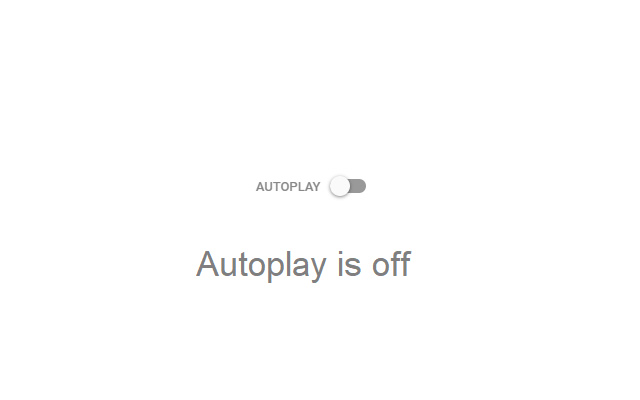

Scarica il file CRX dell'estensione Stop Youtube Autoplay
Scarica i file di estensione Stop Youtube Autoplay in formato crx, installa manualmente le estensioni di Chrome nel browser o condividi i file crx con gli amici per installare facilmente le estensioni di Chrome.
Istruzioni per l'Uso dell'Estensione
                        This extension automatically disables the feature where Youtube will automatically play the next suggested video. You can just click it off manually, but you need to remember to do that every time and it wastes precious seconds you could be using to watch more Youtube. There is also an option to permanently enable autoplay (if you actually want autoplay on) by flipping the switch in the extension popup.

Feel free to contact me if you find any issues or have any suggestions.

This extension is not intended to stop videos from automatically playing when you open a new tab. It only stops the next suggested video from playing.
Informazioni di Base sull'Estensione
| Nome |  Stop Youtube Autoplay Stop Youtube Autoplay |
| ID | npcghnpganhnghapekiicaeiobnhbbfa |
| URL Ufficiale | https://chrome.google.com/webstore/detail/stop-youtube-autoplay/npcghnpganhnghapekiicaeiobnhbbfa |
| Descrizione | This extension allows you to disable autoplay by default on Youtube |
| Dimensione del File | 41.84 KB |
| Conteggio Installazioni | 5,000 |
| Versione Corrente | 1.3 |
| Ultimo Aggiornamento | 2018-10-29 |
| Data di Pubblicazione | 2018-10-29 |
| Valutazione | 3.02/5 Totale 60 Valutazioni |
| Sviluppatore | Joseph Feld |
| [email protected] | |
| Tipo di Pagamento | free |
| Lingue Supportate | en |
| manifest.json | |
{
    "update_url": "https:\/\/clients2.google.com\/service\/update2\/crx",
    "manifest_version": 2,
    "name": "Stop Youtube Autoplay",
    "short_name": "No Autoplay",
    "description": "This extension allows you to disable autoplay by default on Youtube",
    "version": "1.3",
    "browser_action": {
        "default_icon": "icon128.png",
        "default_popup": "popup.html"
    },
    "permissions": [
        "activeTab",
        "storage",
        "tabs",
        "https:\/\/www.youtube.com\/*",
        "http:\/\/www.youtube.com\/*"
    ],
    "icons": {
        "16": "icon16.png",
        "48": "icon48.png",
        "128": "icon128.png"
    },
    "background": {
        "matches": [
            "https:\/\/www.youtube.com\/watch*",
            "http:\/\/www.youtube.com\/watch*"
        ],
        "scripts": [
            "background.js"
        ],
        "persistent": false
    }
} | |