Easy New Tab
New tab page with beautiful background and without distracting things
Cos'è Easy New Tab?
Easy New Tab è un'estensione di Chrome sviluppata da C.A.M. First Agency Kft., e la sua funzione principale è "New tab page with beautiful background and without distracting things".
Screenshot dell'Estensione
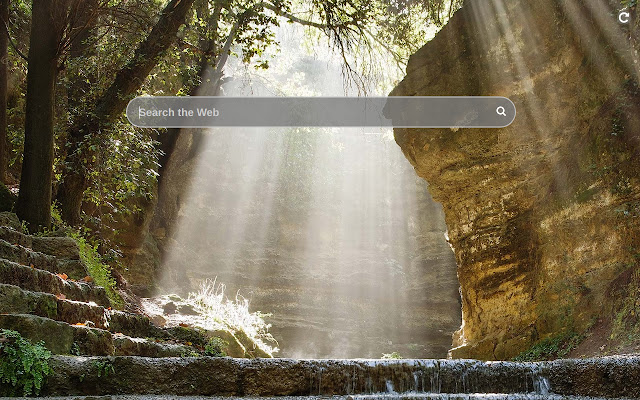
Scarica il file CRX dell'estensione Easy New Tab
Scarica i file di estensione Easy New Tab in formato crx, installa manualmente le estensioni di Chrome nel browser o condividi i file crx con gli amici per installare facilmente le estensioni di Chrome.
Istruzioni per l'Uso dell'Estensione
                        This extension replaces default new tab page with one where there is only a search bar with autocomplete, and the background is a random landscape image. Enjoy and relax while surfing the Internet!

By clicking "Add to chrome", I accept and agree to installing the Easy New Tab Chrome extension and setting Chrome™ New Tab to that provided by the service and the Terms of Use and Privacy Policy
Informazioni di Base sull'Estensione
| Nome |  Easy New Tab Easy New Tab |
| ID | npiipcjhnhgklimfncldongkkhijemgm |
| URL Ufficiale | https://chrome.google.com/webstore/detail/npiipcjhnhgklimfncldongkkhijemgm |
| Descrizione | New tab page with beautiful background and without distracting things |
| Dimensione del File | 290 KB |
| Conteggio Installazioni | 57,925 |
| Versione Corrente | 2.1 |
| Ultimo Aggiornamento | 2023-03-30 |
| Data di Pubblicazione | 2019-12-22 |
| Valutazione | 3.00/5 Totale 2 Valutazioni |
| Sviluppatore | C.A.M. First Agency Kft. |
| [email protected] | |
| Tipo di Pagamento | free |
| URL della Pagina della Politica sulla Privacy | https://docs.google.com/document/d/e/2PACX-1vSZa40A0A9wELr9wJEB2nEGtltOPnWE3P3w9TicYLkJeixMZlv2vx6LOgtUfzdFZJFNUSOhRORML3tJ/pub |
| Lingue Supportate | en |
| manifest.json | |
{
    "update_url": "https:\/\/clients2.google.com\/service\/update2\/crx",
    "manifest_version": 3,
    "version": "2.1",
    "name": "Easy New Tab",
    "description": "New tab page with beautiful background and without distracting things",
    "chrome_url_overrides": {
        "newtab": "index.html"
    },
    "icons": {
        "128": "128.png"
    },
    "action": {
        "default_title": "Open Easy New Tab"
    },
    "background": {
        "service_worker": "js\/bg.js"
    }
} | |