Manilla - Auto Login
Manilla Auto Login
Cos'è Manilla - Auto Login?
Manilla - Auto Login è un'estensione di Chrome sviluppata da https://manilla.com, e la sua funzione principale è "Manilla Auto Login".
Screenshot dell'Estensione


Scarica il file CRX dell'estensione Manilla - Auto Login
Scarica i file di estensione Manilla - Auto Login in formato crx, installa manualmente le estensioni di Chrome nel browser o condividi i file crx con gli amici per installare facilmente le estensioni di Chrome.
Istruzioni per l'Uso dell'Estensione
                        Overview
To use the Auto Login extension, you will need to have a Manilla account. Sign up at http://www.manilla.com.

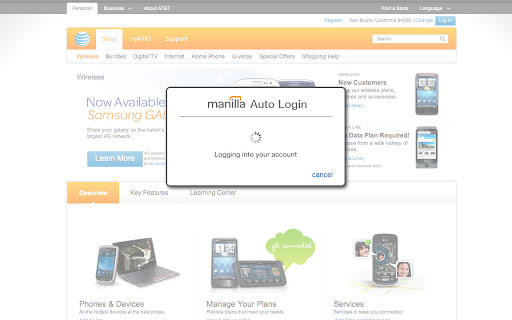
The Manilla Auto Login extension allows you to seamlessly access some linked accounts without entering a password, making it even faster and easier to manage all of your accounts. Once you've installed it, just click the "pay bill" or "go to site" button from an account page.

The Auto Login extension is available for the Chrome, Firefox, Internet Explorer, and Safari browsers. Mobile browsers such as iOS and Android are not supported. The extension must be installed separately for each browser and computer on which you use Manilla.

Security
Your login information is communicated securely to the Auto Login extension using AES 256-bit encryption (the strongest version of a standard endorsed by the National Institute of Standards and Technology). None of your information is stored in the Auto Login extension itself. The Auto Login extension is not recommended for use with public computers.
Informazioni di Base sull'Estensione
| Nome |  Manilla - Auto Login Manilla - Auto Login |
| ID | ofnmjkalkfignhmkhohdaipkbcchbmca |
| URL Ufficiale | https://chromewebstore.google.com/detail/manilla-auto-login/ofnmjkalkfignhmkhohdaipkbcchbmca |
| Descrizione | Manilla Auto Login |
| Dimensione del File | 2.4 MB |
| Conteggio Installazioni | 3,779 |
| Versione Corrente | 2.0.28 |
| Ultimo Aggiornamento | 2013-09-12 |
| Data di Pubblicazione | 2013-09-11 |
| Valutazione | 3.45/5 Totale 11 Valutazioni |
| Sviluppatore | https://manilla.com |
| Tipo di Pagamento | free |
| Sito Web dell'Estensione | http://www.manilla.com/ |
| URL della Pagina di Aiuto | https://www.manilla.com/what-is-manilla/faq/ |
| Lingue Supportate | id,ms,de,en-GB,en-US,fr,nl,vi,tr,ca,da,et,es,es-419,hr,it,lv,lt,hu,pl,pt-BR,pt-PT,ro,sk,sl,fi,sv,cs,el,sr,bg,ru,uk,iw,mr,hi,bn,gu,ta,kn-IN,ml,th,ar,zh-CN,zh-TW,ja,ko |
| manifest.json | |
{
    "update_url": "https:\/\/clients2.google.com\/service\/update2\/crx",
    "background": {
        "page": "background.html"
    },
    "manifest_version": 2,
    "name": "Manilla - Auto Login ",
    "version": "2.0.28",
    "description": "Manilla Auto Login",
    "icons": {
        "16": "images\/icon16.png",
        "32": "images\/icon32.png",
        "48": "images\/icon48.png",
        "128": "images\/icon128.png"
    },
    "default_locale": "en_US",
    "permissions": [
        "tabs",
        "http:\/\/*.manilla.com\/*",
        "https:\/\/*.manilla.com\/*",
        "http:\/\/*.lastpass.com\/*",
        "https:\/\/*.lastpass.com\/*"
    ],
    "content_scripts": [
        {
            "matches": [
                "http:\/\/*\/*",
                "https:\/\/*\/*",
                "file:\/\/\/*"
            ],
            "js": [
                "onloadwff.js"
            ],
            "all_frames": true,
            "run_at": "document_start"
        },
        {
            "matches": [
                "http:\/\/*\/*",
                "https:\/\/*\/*"
            ],
            "js": [
                "csp.js"
            ],
            "all_frames": true,
            "run_at": "document_start"
        }
    ]
} | |