Notify Me!
Get notify.
Cos'è Notify Me!?
Notify Me! è un'estensione di Chrome sviluppata da Anuj Gupta, e la sua funzione principale è "Get notify.".
Screenshot dell'Estensione
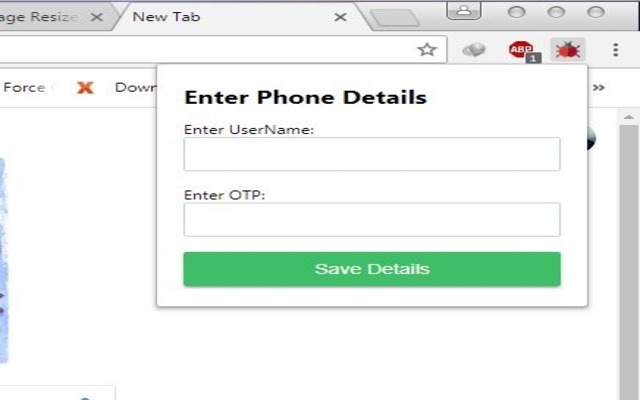


Scarica il file CRX dell'estensione Notify Me!
Scarica i file di estensione Notify Me! in formato crx, installa manualmente le estensioni di Chrome nel browser o condividi i file crx con gli amici per installare facilmente le estensioni di Chrome.
Istruzioni per l'Uso dell'Estensione
                        This extension allows you to receive Android notifications in your browser. In order to use this extension you also need to download and install a free app for your Android phone.

Never Miss A Notification
★ See your phone's call and SMS notifications on your computer.
★ Secure: Protect your notifications and SMS with end-to-end encryption.
★ Real time notification on browser.
★ We never store your data new login each day.
★ Send message from your chrome extension (Beta)*
Informazioni di Base sull'Estensione
| Nome |  Notify Me! Notify Me! |
| ID | ojajiolndkgblgmeomogofflebcianae |
| URL Ufficiale | https://chrome.google.com/webstore/detail/notify-me/ojajiolndkgblgmeomogofflebcianae |
| Descrizione | Get notify. |
| Dimensione del File | 252 KB |
| Conteggio Installazioni | 12 |
| Versione Corrente | 1.04 |
| Ultimo Aggiornamento | 2018-09-19 |
| Data di Pubblicazione | 2018-09-19 |
| Valutazione | 3.00/5 Totale 2 Valutazioni |
| Sviluppatore | Anuj Gupta |
| [email protected] | |
| Tipo di Pagamento | free |
| Lingue Supportate | en |
| manifest.json | |
{
    "update_url": "https:\/\/clients2.google.com\/service\/update2\/crx",
    "manifest_version": 2,
    "name": "Notify Me!",
    "description": "Get notify.",
    "version": "1.04",
    "short_name": "Notify Me",
    "browser_action": {
        "default_icon": "images\/synchronization_64.png",
        "default_popup": "popup.html"
    },
    "background": {
        "scripts": [
            "socket.io.js",
            "background.js"
        ]
    },
    "icons": {
        "16": "images\/synchronization_16.png",
        "32": "images\/synchronization_32.png",
        "48": "images\/synchronization_64.png",
        "128": "images\/synchronization_128.png"
    },
    "permissions": [
        "activeTab",
        "notifications",
        "storage",
        "tabs"
    ]
} | |