Pixiv Art Downloader
Downloads art from Pixiv artists with one click! Supports albums and single images.
Cos'è Pixiv Art Downloader?
Pixiv Art Downloader è un'estensione di Chrome sviluppata da PixivAlbumDownloader, e la sua funzione principale è "Downloads art from Pixiv artists with one click! Supports albums and single images.".
Screenshot dell'Estensione
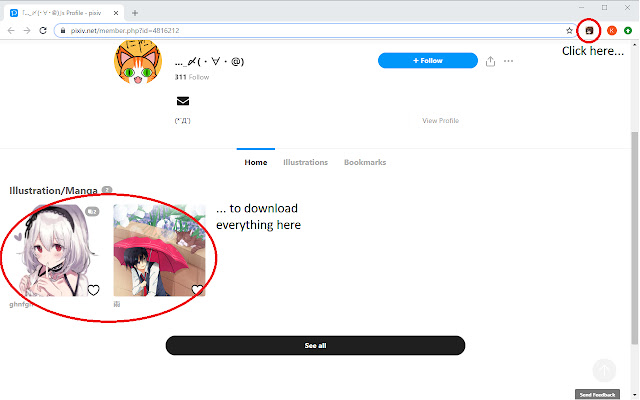
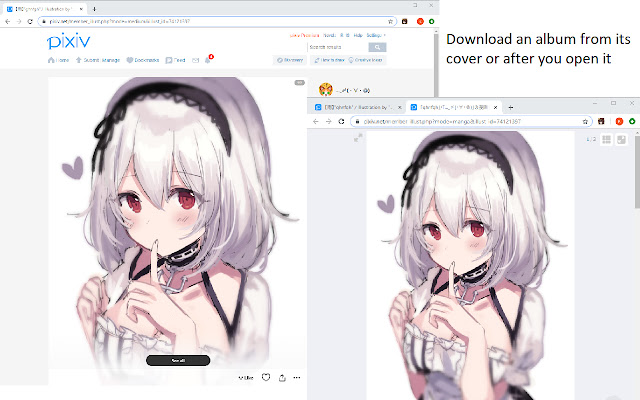
Scarica il file CRX dell'estensione Pixiv Art Downloader
Scarica i file di estensione Pixiv Art Downloader in formato crx, installa manualmente le estensioni di Chrome nel browser o condividi i file crx con gli amici per installare facilmente le estensioni di Chrome.
Istruzioni per l'Uso dell'Estensione
                        Pixiv Art Downloader lets you download art as you browse through Pixiv. To use, go to the image or album and click Megumin (the extension icon) or press Alt+Shift+V. The extension will download the image or album under the subfolder "Pixiv Art Downloader" in your Chrome downloads folder. The subfolder can be renamed in the options for the extension, or uncheck the box to download directly to the Chrome downloads folder.

v1.2.11: Updated extension to hopefully be more robust with internal Pixiv changes. Please check "Automatically allow access on the following sites" under Site access on the extension page.

Notes:
1. The extension downloads images in their original resolution, so make sure you're logged in to Pixiv or the extension won't work.
2. Don't close the Chrome tab before the extension finishes downloading the entire album/artist page or the remaining images will not be downloaded.
3. All thumbnails have to be loaded on an artist page before it can be properly downloaded. Otherwise the images/albums associated with the thumbnails that aren't loaded may not be downloaded.
4. Unfortunately, you cannot change the subfolder outside of the Chrome Downloads directory, so please change your default directory in Settings > Advanced > Downloads Location for Chrome first, then the subfolder in the options menu of the extension.
Informazioni di Base sull'Estensione
| Nome |  Pixiv Art Downloader Pixiv Art Downloader |
| ID | ollmjcacedjhmgefchinjcnofgedoalk |
| URL Ufficiale | https://chrome.google.com/webstore/detail/pixiv-art-downloader/ollmjcacedjhmgefchinjcnofgedoalk |
| Descrizione | Downloads art from Pixiv artists with one click! Supports albums and single images. |
| Dimensione del File | 36.04 KB |
| Conteggio Installazioni | 3,901 |
| Versione Corrente | 1.2.12 |
| Ultimo Aggiornamento | 2020-03-06 |
| Data di Pubblicazione | 2020-03-06 |
| Valutazione | 2.48/5 Totale 42 Valutazioni |
| Sviluppatore | PixivAlbumDownloader |
| [email protected] | |
| Tipo di Pagamento | free |
| Lingue Supportate | en |
| manifest.json | |
{
    "update_url": "https:\/\/clients2.google.com\/service\/update2\/crx",
    "manifest_version": 2,
    "name": "Pixiv Art Downloader",
    "version": "1.2.12",
    "description": "Downloads art from Pixiv artists with one click! Supports albums and single images.",
    "icons": {
        "48": "icons\/megumin-48.png",
        "128": "icons\/megumin-128.png"
    },
    "options_ui": {
        "page": "src\/options.html",
        "chrome_style": true
    },
    "content_scripts": [
        {
            "matches": [
                "*:\/\/www.pixiv.net\/*"
            ],
            "js": [
                "src\/content.js"
            ]
        }
    ],
    "background": {
        "scripts": [
            "src\/background.js",
            "src\/options.js"
        ]
    },
    "page_action": {
        "default_icon": "icons\/megumin-128.png"
    },
    "permissions": [
        "activeTab",
        "declarativeContent",
        "downloads",
        "notifications",
        "storage",
        "*:\/\/www.pixiv.net\/*",
        "*:\/\/i.pximg.net\/*",
        "*:\/\/i-f.pximg.net\/*"
    ],
    "commands": {
        "_execute_page_action": {
            "suggested_key": {
                "default": "Alt+Shift+V",
                "mac": "Command+Shift+V"
            }
        }
    }
} | |