Instant Meet
Start Google Meet calls instantly with just a click of a button!
Cos'è Instant Meet?
Instant Meet è un'estensione di Chrome sviluppata da Shahlin Ibrahim, e la sua funzione principale è "Start Google Meet calls instantly with just a click of a button!".
Screenshot dell'Estensione
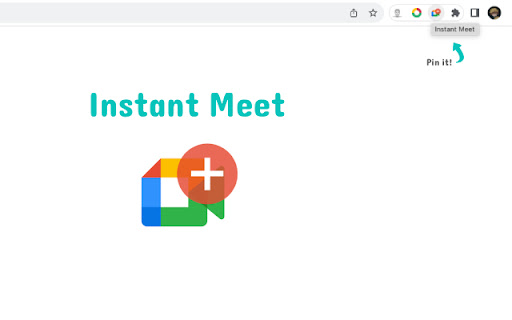
Scarica il file CRX dell'estensione Instant Meet
Scarica i file di estensione Instant Meet in formato crx, installa manualmente le estensioni di Chrome nel browser o condividi i file crx con gli amici per installare facilmente le estensioni di Chrome.
Istruzioni per l'Uso dell'Estensione
                        Get on a NEW Google Meet call with just a click of button; To make it even more convenient, the link is automatically copied so you can pass it on to others. For the lazy ones, you save a whole 7-10 seconds with this easy access 😂

Note: For the automatic copy to clipboard to work, you will need to allow access the first time it asks you
Informazioni di Base sull'Estensione
| Nome |  Instant Meet Instant Meet |
| ID | pjgfblbagmedppcpibbgdkdhbdgehmmi |
| URL Ufficiale | https://chromewebstore.google.com/detail/instant-meet/pjgfblbagmedppcpibbgdkdhbdgehmmi |
| Descrizione | Start Google Meet calls instantly with just a click of a button! |
| Dimensione del File | 10.62 KB |
| Conteggio Installazioni | 79 |
| Versione Corrente | 1.0.0 |
| Ultimo Aggiornamento | 2023-08-04 |
| Data di Pubblicazione | 2023-08-04 |
| Sviluppatore | Shahlin Ibrahim |
| [email protected] | |
| Tipo di Pagamento | free |
| Lingue Supportate | en |
| manifest.json | |
{
    "update_url": "https:\/\/clients2.google.com\/service\/update2\/crx",
    "name": "Instant Meet",
    "description": "Start Google Meet calls instantly with just a click of a button!",
    "version": "1.0.0",
    "manifest_version": 3,
    "author": "Shahlin Ibrahim",
    "icons": {
        "16": "images\/logo\/logo-16.png",
        "32": "images\/logo\/logo-32.png",
        "48": "images\/logo\/logo-48.png",
        "128": "images\/logo\/logo-128.png"
    },
    "permissions": [],
    "action": [],
    "host_permissions": [
        "https:\/\/meet.google.com\/*"
    ],
    "background": {
        "service_worker": "background.js"
    },
    "content_scripts": [
        {
            "matches": [
                "https:\/\/meet.google.com\/*"
            ],
            "js": [
                "content-script.js"
            ]
        }
    ]
} | |