YouTube Chapterize
Provides convenience functions to handle YouTube chapters.
Cos'è YouTube Chapterize?
YouTube Chapterize è un'estensione di Chrome sviluppata da blackway, e la sua funzione principale è "Provides convenience functions to handle YouTube chapters.".
Screenshot dell'Estensione
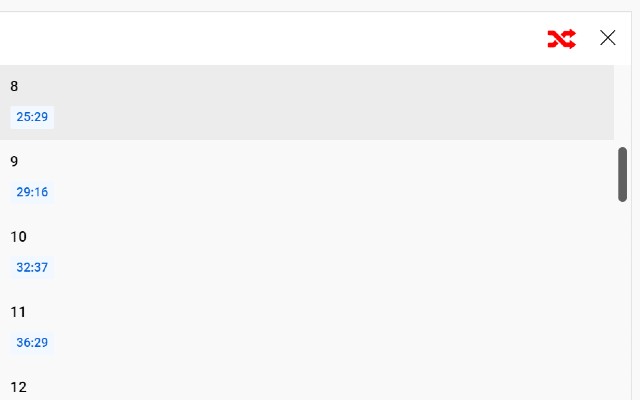
Scarica il file CRX dell'estensione YouTube Chapterize
Scarica i file di estensione YouTube Chapterize in formato crx, installa manualmente le estensioni di Chrome nel browser o condividi i file crx con gli amici per installare facilmente le estensioni di Chrome.
Istruzioni per l'Uso dell'Estensione
                        Use this extension if you want to shuffle the order of chapters. If you toggle the shuffle button at the top of the chapter list, the play time will shift to a random chapter when one chapter has finished playing.

Features
- You can shuffle chapters in a video.
Informazioni di Base sull'Estensione
| Nome |  YouTube Chapterize YouTube Chapterize |
| ID | pndbjffcoioeikhcfofoefnlbiiidclh |
| URL Ufficiale | https://chrome.google.com/webstore/detail/youtube-chapterize/pndbjffcoioeikhcfofoefnlbiiidclh |
| Descrizione | Provides convenience functions to handle YouTube chapters. |
| Dimensione del File | 10.32 KB |
| Conteggio Installazioni | 58 |
| Versione Corrente | 2 |
| Ultimo Aggiornamento | 2021-11-24 |
| Data di Pubblicazione | 2021-11-23 |
| Valutazione | 5.00/5 Totale 2 Valutazioni |
| Sviluppatore | blackway |
| [email protected] | |
| Tipo di Pagamento | free |
| Lingue Supportate | en |
| manifest.json | |
{
    "update_url": "https:\/\/clients2.google.com\/service\/update2\/crx",
    "name": "YouTube Chapterize",
    "description": "Provides convenience functions to handle YouTube chapters.",
    "version": "2",
    "manifest_version": 3,
    "permissions": [
        "scripting"
    ],
    "icons": {
        "16": "icon.png",
        "32": "icon.png",
        "48": "icon.png",
        "128": "icon128.png"
    },
    "action": {
        "default_popup": "popup.html"
    },
    "content_scripts": [
        {
            "matches": [
                "http:\/\/www.youtube.com\/*",
                "https:\/\/www.youtube.com\/*"
            ],
            "js": [
                "inject.js"
            ]
        }
    ]
} | |