Lenovo Smart Privacy Services
Take control of your privacy
Lenovo Smart Privacy Servicesとは何ですか?
Lenovo Smart Privacy ServicesはLenovoによって開発されたChromeの拡張機能で、その主な機能は「Take control of your privacy」です。
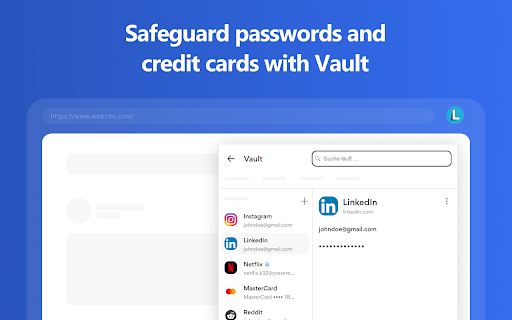
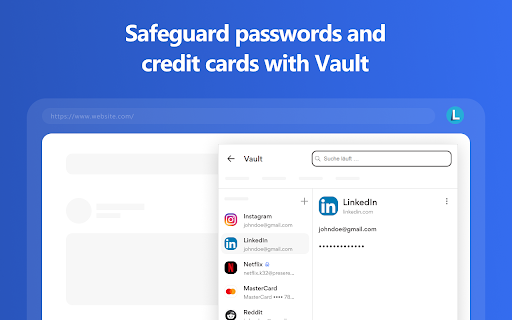
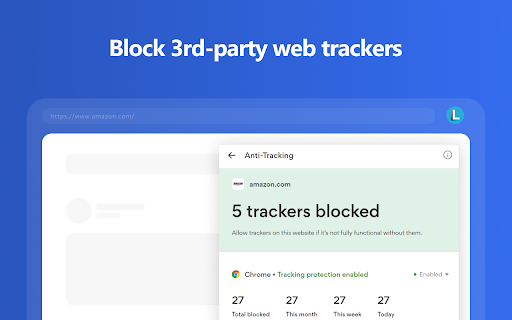
拡張機能のスクリーンショット




Lenovo Smart Privacy Services拡張機能のCRXファイルをダウンロード
Lenovo Smart Privacy Services拡張子のファイルをcrx形式でダウンロードし、ブラウザにChrome拡張機能を手動でインストールするか、crxファイルを友達と共有して簡単にChrome拡張機能をインストールします。
拡張機能の使用方法
Lenovo Smart Privacy Services’ Vault feature and browser extension is more than a password manager. Apart from storing your logins, passwords, and credit card details in a vault with a synced browser extension that conveniently auto-fills your credentials in the browser, it also creates unique passwords allowing you to use a different password for each of your accounts without having to remember anything. 拡張機能の基本情報
| 名前 |  Lenovo Smart Privacy Services Lenovo Smart Privacy Services |
| ID | aemlekaockallgcpnlghnfeabbemnjbf |
| 公式URL | https://chromewebstore.google.com/detail/lenovo-smart-privacy-serv/aemlekaockallgcpnlghnfeabbemnjbf |
| 説明 | Take control of your privacy |
| ファイルサイズ | 4.8 MB |
| インストール数 | 2,256 |
| 現在のバージョン | 2.1.5 |
| 最終更新日 | 2023-04-20 |
| 公開日 | 2021-07-22 |
| 開発者 | Lenovo |
| Eメール | [email protected] |
| 支払い方法 | free |
| 拡張機能のウェブサイト | https://www.lenovo.com/ |
| ヘルプページのURL | https://support.lenovo.com/ |
| 対応言語 | de,en,fr,nl,no,da,es,it,pt-BR,pt-PT,fi,sv,ja,ko |
| manifest.json | |
{
"update_url": "https:\/\/clients2.google.com\/service\/update2\/crx",
"key": "MIIBIjANBgkqhkiG9w0BAQEFAAOCAQ8AMIIBCgKCAQEA5H7nxYHK7bz3\/F5tszRXBnrLQD\/Z\/rdIBL35KT7hjzT8qHJaBPN0\/\/NKA+pVx2KFZ1cljtLHti7SwnyJ5+YnyUmXMAJ2leE4yR4qlUAR1XglFIoqeqZC+hj2i\/Sm8w\/\/iMbumrKetlje1f8JTkcbwZVgSY0uNuGYClthy7nk1oj51gGe5oxe97Q4clyowHJHlR06O2QFEWkskPtnsiwCl4UAv6mC0xL+xlz60iiDtCnflqpTqmwm0XAwqh7fpWcLQV5DHXdUYHW3lpurXoe8qf8uygcQ88Gr+Sj2dsUY3QLXwJDzHgf+xvr8C9sBCe4mqUk1PAuX7bkWoczTqefhowIDAQAB",
"manifest_version": 2,
"name": "Lenovo Smart Privacy Services",
"version": "2.1.5",
"description": "__MSG_appDesc__",
"default_locale": "en",
"icons": {
"16": "images\/icon-app-16.png",
"48": "images\/icon-app-48.png",
"128": "images\/icon-app-128.png"
},
"background": {
"scripts": [
"js\/background-chrome.js"
],
"persistent": true
},
"browser_action": {
"default_popup": "",
"default_icon": {
"16": "images\/icon-16.png",
"24": "images\/icon-24.png",
"32": "images\/icon-32.png"
},
"default_title": "Lenovo Smart Privacy Services"
},
"permissions": [
"webRequest",
"webRequestBlocking",
"tabs",
"alarms",
"nativeMessaging",
" | |