YaTranslate
Quickly translate selected text on web page using Yandex Translate. In toolbar popup, you can translate input text.
YaTranslateとは何ですか?
YaTranslateはMiniAppsによって開発されたChromeの拡張機能で、その主な機能は「Quickly translate selected text on web page using Yandex Translate. In toolbar popup, you can translate input text.」です。
拡張機能のスクリーンショット



YaTranslate拡張機能のCRXファイルをダウンロード
YaTranslate拡張子のファイルをcrx形式でダウンロードし、ブラウザにChrome拡張機能を手動でインストールするか、crxファイルを友達と共有して簡単にChrome拡張機能をインストールします。
拡張機能の使用方法
                        Quickly translate selected text on web page using Yandex Translate. In toolbar popup, you can translate input text.

When you select a text, a translation button appears, and the translation is displayed instantly.
If you enable the option "Do not display the button if the translation is not required", you will not be disappointed by the appearance of the button when it is not necessary.

In the popup window of the toolbar, translate the entered text in real time.
Russian Russian translation If you enable the option "Automatically switch to a second language", you can do the following : when English is entered, it is translated into Russian, and when Russian is entered, it is translated into English.

You can also translate from the context menu.
You can select "Translate selected text" in the menu on the page or tab.

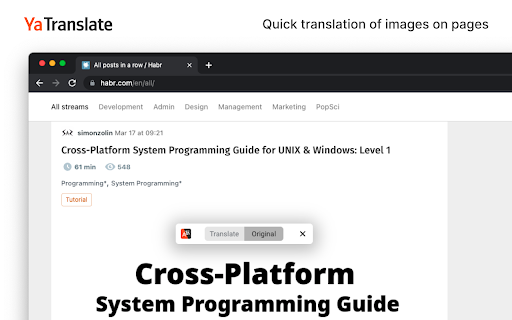
In addition to translating text on pages, you can also translate images, just hover over the image and click the "Translate" button and enjoy the picture in your language.
拡張機能の基本情報
| 名前 |  YaTranslate YaTranslate |
| ID | afbjfmdncdlpomhgjanodjfogbaiknho |
| 公式URL | https://chromewebstore.google.com/detail/yatranslate/afbjfmdncdlpomhgjanodjfogbaiknho |
| 説明 | Quickly translate selected text on web page using Yandex Translate. In toolbar popup, you can translate input text. |
| ファイルサイズ | 554 KB |
| インストール数 | 32,998 |
| 現在のバージョン | 6.0.2 |
| 最終更新日 | 2024-02-12 |
| 公開日 | 2021-06-30 |
| 評価 | 3.66/5 合計 952 レビュー |
| 開発者 | MiniApps |
| Eメール | [email protected] |
| 支払い方法 | free |
| プライバシーポリシーページのURL | https://vostlertsd.github.io/YTPP |
| 対応言語 | en,ru |
| manifest.json | |
{
"update_url": "https:\/\/clients2.google.com\/service\/update2\/crx",
"manifest_version": 3,
"name": "__MSG_name__",
"version": "6.0.2",
"description": "__MSG_description__",
"default_locale": "en",
"action": {
"default_icon": {
"19": ".\/assets\/icons\/icon-19.png",
"38": ".\/assets\/icons\/icon-38.png"
},
"default_title": "__MSG_name__",
"default_popup": ".\/dist\/popup\/index.html"
},
"options_ui": {
"page": ".\/dist\/options\/index.html",
"open_in_tab": true
},
"background": {
"service_worker": ".\/dist\/background\/index.mjs"
},
"icons": {
"16": ".\/assets\/icons\/icon-128.png",
"48": ".\/assets\/icons\/icon-128.png",
"128": ".\/assets\/icons\/icon-128.png"
},
"permissions": [
"cookies",
"tabs",
"storage",
"contextMenus"
],
"host_permissions": [
" | |