WordBuddy
Add interesting words to a personal dictionary. Read through them later, and expand your vocabulary.
WordBuddyとは何ですか?
WordBuddyはTwentyPeopleによって開発されたChromeの拡張機能で、その主な機能は「Add interesting words to a personal dictionary. Read through them later, and expand your vocabulary.」です。
拡張機能のスクリーンショット
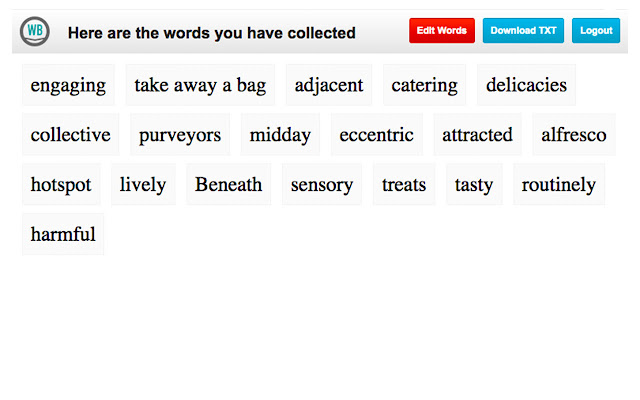
WordBuddy拡張機能のCRXファイルをダウンロード
WordBuddy拡張子のファイルをcrx形式でダウンロードし、ブラウザにChrome拡張機能を手動でインストールするか、crxファイルを友達と共有して簡単にChrome拡張機能をインストールします。
拡張機能の使用方法
With WordBuddy, you can add interesting new words to your vocabulary. When trying to become a better writer, or even speaker, you may feel like you are using the same old words, over and over again. This little app helps you collect new words, review them from time to time and export them as a TXT file for other programs (like vocabulary card trainers, or similar). 拡張機能の基本情報
| 名前 |  WordBuddy WordBuddy |
| ID | akmejfbkkohbefeciioailcfflielina |
| 公式URL | https://chrome.google.com/webstore/detail/wordbuddy/akmejfbkkohbefeciioailcfflielina |
| 説明 | Add interesting words to a personal dictionary. Read through them later, and expand your vocabulary. |
| ファイルサイズ | 34.38 KB |
| インストール数 | 172 |
| 現在のバージョン | 1.0 |
| 最終更新日 | 2014-12-04 |
| 公開日 | 2014-12-04 |
| 評価 | 3.20/5 合計 5 レビュー |
| 開発者 | TwentyPeople |
| 支払い方法 | free |
| 対応言語 | en-US |
| manifest.json | |
{
"update_url": "https:\/\/clients2.google.com\/service\/update2\/crx",
"name": "WordBuddy",
"version": "1.0",
"description": "Add interesting words to a personal dictionary. Read through them later, and expand your vocabulary.",
"permissions": [
" | |