Emojityper
The easiest way to type emoji on your keyboard, just type and press enter to copy 😂⌨️💯👍
Emojityperとは何ですか?
Emojityperはhttps://emojityper.comによって開発されたChromeの拡張機能で、その主な機能は「The easiest way to type emoji on your keyboard, just type and press enter to copy 😂⌨️💯👍」です。
拡張機能のスクリーンショット
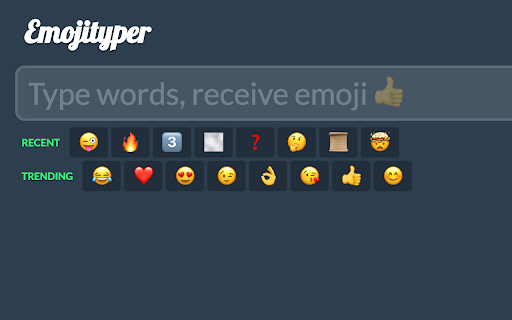

Emojityper拡張機能のCRXファイルをダウンロード
Emojityper拡張子のファイルをcrx形式でダウンロードし、ブラウザにChrome拡張機能を手動でインストールするか、crxファイルを友達と共有して簡単にChrome拡張機能をインストールします。
拡張機能の使用方法
                        Emoji ready to copy and paste! No permissions required, just lives as an icon next to your URL bar. Works offline even without internet 📴

Open with ⌘/Ctrl-Shift-E (or click the icon). Type words to get emoji, hit enter to copy.
(If ⌘/Ctrl-Shift-E doesn't work, try opening chrome://extensions/shortcuts and ensuring the shortcut is enabled).

List of all emoji, just type some words to get emoji. Laughing crying emoji! Emojis! Smiley faces! Keyword stuffing!
😂⌨
拡張機能の基本情報
| 名前 |  Emojityper Emojityper |
| ID | cbkooiohnnlhpelnllknmenlhiglnkap |
| 公式URL | https://chromewebstore.google.com/detail/emojityper/cbkooiohnnlhpelnllknmenlhiglnkap |
| 説明 | The easiest way to type emoji on your keyboard, just type and press enter to copy 😂⌨️💯👍 |
| ファイルサイズ | 21.49 KB |
| インストール数 | 2,191 |
| 現在のバージョン | 1.0 |
| 最終更新日 | 2021-09-14 |
| 公開日 | 2019-07-06 |
| 評価 | 4.80/5 合計 10 レビュー |
| 開発者 | https://emojityper.com |
| Eメール | [email protected] |
| 支払い方法 | free |
| 拡張機能のウェブサイト | https://whistlr.info |
| ヘルプページのURL | https://twitter.com/samthor |
| 対応言語 | en |
| manifest.json | |
{
    "update_url": "https:\/\/clients2.google.com\/service\/update2\/crx",
    "name": "Emojityper",
    "version": "1.0",
    "description": "The easiest way to type emoji on your keyboard, just type and press enter to copy \ud83d\ude02\u2328\ufe0f\ud83d\udcaf\ud83d\udc4d",
    "action": {
        "default_popup": "embedder.html",
        "default_title": "Emojityper",
        "default_icon": {
            "128": "res\/icon-128.png",
            "64": "res\/icon-64.png"
        }
    },
    "icons": {
        "512": "res\/icon-512.png",
        "256": "res\/icon-256.png",
        "128": "res\/icon-128.png",
        "64": "res\/icon-64.png"
    },
    "commands": {
        "_execute_action": {
            "suggested_key": {
                "windows": "Ctrl+Shift+E",
                "mac": "Command+Shift+E",
                "chromeos": "Ctrl+Shift+E",
                "linux": "Ctrl+Shift+E"
            }
        }
    },
    "manifest_version": 3
} | |