Snapshot as HTML
A chrome extension save webpage snapshot as html
Snapshot as HTMLとは何ですか?
Snapshot as HTMLはfool2fishによって開発されたChromeの拡張機能で、その主な機能は「A chrome extension save webpage snapshot as html」です。
拡張機能のスクリーンショット
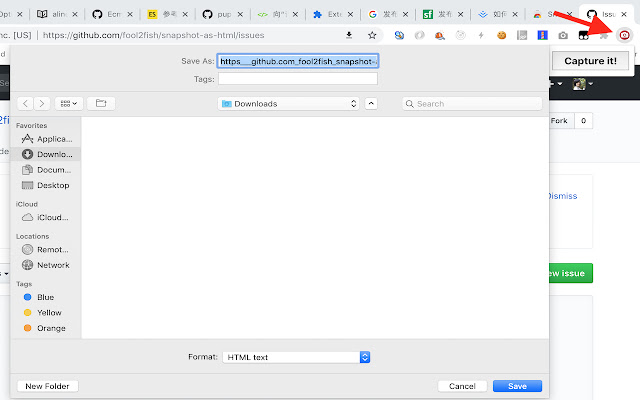
Snapshot as HTML拡張機能のCRXファイルをダウンロード
Snapshot as HTML拡張子のファイルをcrx形式でダウンロードし、ブラウザにChrome拡張機能を手動でインストールするか、crxファイルを友達と共有して簡単にChrome拡張機能をインストールします。
拡張機能の使用方法
                        ### How it works?
1. grab the rendered webpage code
2. remove all scripts
3. remove all iframe srcs
4. normalize all urls
拡張機能の基本情報
| 名前 |  Snapshot as HTML Snapshot as HTML |
| ID | cpfdkhlkcocjbmjmmoocffkkhiolhbkf |
| 公式URL | https://chrome.google.com/webstore/detail/snapshot-as-html/cpfdkhlkcocjbmjmmoocffkkhiolhbkf |
| 説明 | A chrome extension save webpage snapshot as html |
| ファイルサイズ | 85.78 KB |
| インストール数 | 145 |
| 現在のバージョン | 0.0.1 |
| 最終更新日 | 2018-11-06 |
| 公開日 | 2018-11-04 |
| 評価 | 3.50/5 合計 2 レビュー |
| 開発者 | fool2fish |
| 支払い方法 | free |
| 拡張機能のウェブサイト | https://github.com/fool2fish/snapshot-as-html |
| ヘルプページのURL | https://github.com/fool2fish/snapshot-as-html/issues |
| 対応言語 | en |
| manifest.json | |
{
"update_url": "https:\/\/clients2.google.com\/service\/update2\/crx",
"name": "Snapshot as HTML",
"description": "A chrome extension save webpage snapshot as html",
"version": "0.0.1",
"manifest_version": 2,
"permissions": [
"tabs",
" | |