Gotify
Unofficial browser extension for Gotify
Gotifyとは何ですか?
Gotifyはhttps://gostew.artによって開発されたChromeの拡張機能で、その主な機能は「Unofficial browser extension for Gotify」です。
拡張機能のスクリーンショット


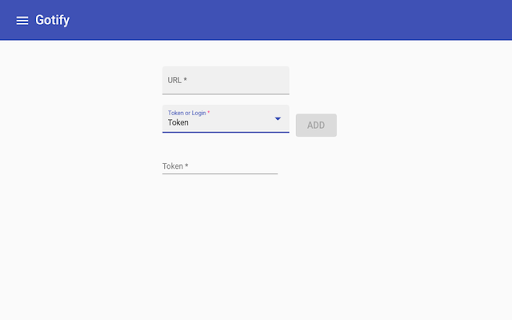

Gotify拡張機能のCRXファイルをダウンロード
Gotify拡張子のファイルをcrx形式でダウンロードし、ブラウザにChrome拡張機能を手動でインストールするか、crxファイルを友達と共有して簡単にChrome拡張機能をインストールします。
拡張機能の使用方法
                        An extension for viewing and managing Gotify servers

You must configure your server CORS to allow the extension to make requests, like so:
In your config.yml

server:
  cors:
    alloworigins:
        - "chrome-extension://defcailckfpgaigaiijligpnjipkhhmg"
    allowmethods:
        - "GET"
        - "POST"
        - "OPTIONS"
        - "DELETE"
    allowheaders:
        - "Authorization"
        - "content-type"
  stream:
    allowedorigins: # allowed origins for websocket connections (same origin is always allowed, default only same origin)
      - "defcailckfpgaigaiijligpnjipkhhmg"

Or, in your docker-compose.yml
environment:
       GOTIFY_SERVER_CORS_ALLOWORIGINS: "- \"chrome-extension://defcailckfpgaigaiijligpnjipkhhmg\""
       GOTIFY_SERVER_CORS_ALLOWHEADERS: "- \"Authorization\"\n- \"content-type\""
       GOTIFY_SERVER_CORS_ALLOWMETHODS: "- \"GET\"\n- \"POST\"\n- \"OPTIONS\"\n- \"DELETE\""
       GOTIFY_SERVER_STREAM_ALLOWEDORIGINS: "- \"defcailckfpgaigaiijligpnjipkhhmg\""

Logo is from https://github.com/gotify/logo

More info can be found here: https://gotify.net/docs/config
拡張機能の基本情報
| 名前 |  Gotify Gotify |
| ID | defcailckfpgaigaiijligpnjipkhhmg |
| 公式URL | https://chromewebstore.google.com/detail/gotify/defcailckfpgaigaiijligpnjipkhhmg |
| 説明 | Unofficial browser extension for Gotify |
| ファイルサイズ | 315 KB |
| インストール数 | 192 |
| 現在のバージョン | 0.3.2 |
| 最終更新日 | 2021-01-22 |
| 公開日 | 2020-05-17 |
| 評価 | 2.50/5 合計 2 レビュー |
| 開発者 | https://gostew.art |
| Eメール | [email protected] |
| 支払い方法 | free |
| 拡張機能のウェブサイト | https://github.com/StewartThomson/Gotify-Ext/ |
| ヘルプページのURL | https://github.com/StewartThomson/Gotify-Ext/issues |
| 対応言語 | en |
| manifest.json | |
{
    "update_url": "https:\/\/clients2.google.com\/service\/update2\/crx",
    "name": "Gotify",
    "version": "0.3.2",
    "description": "Unofficial browser extension for Gotify",
    "manifest_version": 2,
    "icons": {
        "16": "assets\/logo-16.png",
        "48": "assets\/logo-48.png",
        "128": "assets\/logo-128.png"
    },
    "background": {
        "scripts": [
            "background.js",
            "runtime.js"
        ],
        "styles": [
            "styles.css"
        ]
    },
    "permissions": [
        "storage"
    ],
    "browser_action": {
        "default_popup": "index.html"
    }
} | |