Save Notes
Create notes and save important bullet points from an article
Save Notesとは何ですか?
Save NotesはSwati Kpによって開発されたChromeの拡張機能で、その主な機能は「Create notes and save important bullet points from an article」です。
拡張機能のスクリーンショット
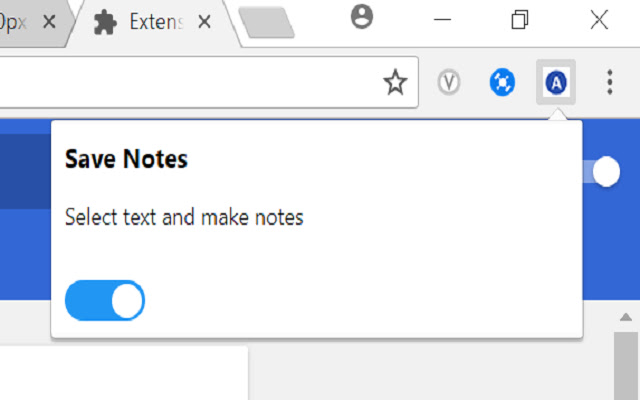


Save Notes拡張機能のCRXファイルをダウンロード
Save Notes拡張子のファイルをcrx形式でダウンロードし、ブラウザにChrome拡張機能を手動でインストールするか、crxファイルを友達と共有して簡単にChrome拡張機能をインストールします。
拡張機能の使用方法
                        Increase your productivity.
A chrome extension that lets you save important points from any article on a website to text file.
You can create notes anytime, just select the text you want to save to a file,
You will see 2 buttons:
Add to file
Save File

Keep on adding the text to the file and at the end just choose save file option.

A file will be downloaded with all the bullet points you selected and added to file.

There is a toggle button as well to turn on or off the extension anytime
拡張機能の基本情報
| 名前 |  Save Notes Save Notes |
| ID | dhngchhcdfdmpbkekjpbophjdfccmlfc |
| 公式URL | https://chrome.google.com/webstore/detail/save-notes/dhngchhcdfdmpbkekjpbophjdfccmlfc |
| 説明 | Create notes and save important bullet points from an article |
| ファイルサイズ | 262 KB |
| インストール数 | 161 |
| 現在のバージョン | 0.5 |
| 最終更新日 | 2018-03-13 |
| 公開日 | 2018-03-13 |
| 評価 | 4.00/5 合計 6 レビュー |
| 開発者 | Swati Kp |
| Eメール | [email protected] |
| 支払い方法 | free |
| 対応言語 | en-US |
| manifest.json | |
{
"update_url": "https:\/\/clients2.google.com\/service\/update2\/crx",
"name": "Save Notes",
"version": "0.5",
"description": "Create notes and save important bullet points from an article",
"background": {
"page": "bg.html"
},
"browser_action": {
"default_popup": "popup.html",
"default_icon": "on.png"
},
"manifest_version": 2,
"content_scripts": [
{
"matches": [
" | |