Ybug
Capture current page, annotate it and send it to 20+ integrations such as GitHub, Trello, Asana, Jira and more...
Ybugとは何ですか?
Ybugはhttps://ybug.ioによって開発されたChromeの拡張機能で、その主な機能は「Capture current page, annotate it and send it to 20+ integrations such as GitHub, Trello, Asana, Jira and more...」です。
拡張機能のスクリーンショット

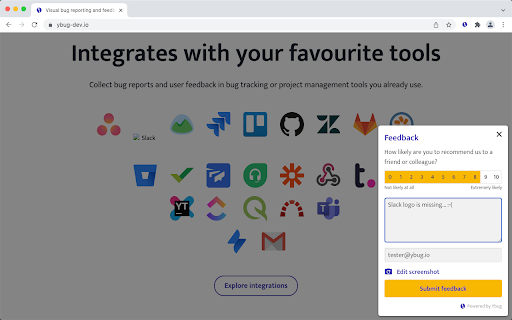
Ybug拡張機能のCRXファイルをダウンロード
Ybug拡張子のファイルをcrx形式でダウンロードし、ブラウザにChrome拡張機能を手動でインストールするか、crxファイルを友達と共有して簡単にChrome拡張機能をインストールします。
拡張機能の使用方法
                        Capture current page, annotate it and send it to 20+ integrations such as GitHub, Trello, Asana, Jira and more...

Get our brilliantly simple Feedback Widget for end users and a browser extension for testers and web developers (browser extension functionality now available for non-registered users, too!).

Collect feedback, suggestions and bug reports from your users, clients and teammates. Take screenshot of your current page, annotate it and send it to 20+ bug tracking or project management tools such as Asana, GitHub, Trello, Jira... Ybug automatically includes browser and environment details for you.
拡張機能の基本情報
| 名前 |  Ybug Ybug |
| ID | ejgicblnpmmjckfnhkpkbkbelpkoihch |
| 公式URL | https://chromewebstore.google.com/detail/ybug/ejgicblnpmmjckfnhkpkbkbelpkoihch |
| 説明 | Capture current page, annotate it and send it to 20+ integrations such as GitHub, Trello, Asana, Jira and more... |
| ファイルサイズ | 51.71 KB |
| インストール数 | 1,219 |
| 現在のバージョン | 1.1.0 |
| 最終更新日 | 2022-02-24 |
| 公開日 | 2019-05-22 |
| 評価 | 5.00/5 合計 1 レビュー |
| 開発者 | https://ybug.io |
| Eメール | [email protected] |
| 支払い方法 | in_app |
| 拡張機能のウェブサイト | https://ybug.io |
| ヘルプページのURL | https://ybug.io/docs/troubleshooting |
| プライバシーポリシーページのURL | https://ybug.io/privacy-policy |
| 対応言語 | en |
| manifest.json | |
{
"update_url": "https:\/\/clients2.google.com\/service\/update2\/crx",
"description": "Capture current page, annotate it and send it to 20+ integrations such as GitHub, Trello, Asana, Jira and more...",
"version": "1.1.0",
"name": "Ybug",
"short_name": "Ybug",
"author": "Ybug",
"icons": {
"16": "icon-16.png",
"32": "icon-32.png",
"48": "icon-48.png",
"128": "icon-128.png"
},
"background": {
"persistent": false,
"scripts": [
"background.bundle.js"
]
},
"content_scripts": [
{
"js": [
"annotate.bundle.js"
],
"matches": [
"*:\/\/ybug-dev.io\/*",
"*:\/\/ybug.io\/*"
]
},
{
"js": [
"content.bundle.js"
],
"matches": [
" | |