Amazing Dark Mode
Enable dark mode on the most popular web sites
Amazing Dark Modeとは何ですか?
Amazing Dark ModeはAlexsandr Gudkoによって開発されたChromeの拡張機能で、その主な機能は「Enable dark mode on the most popular web sites」です。
拡張機能のスクリーンショット
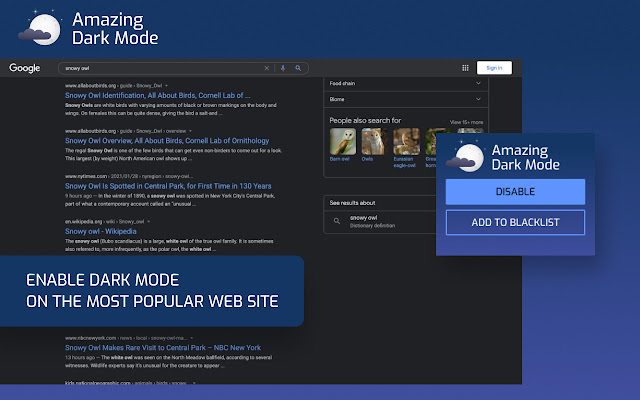
Amazing Dark Mode拡張機能のCRXファイルをダウンロード
Amazing Dark Mode拡張子のファイルをcrx形式でダウンロードし、ブラウザにChrome拡張機能を手動でインストールするか、crxファイルを友達と共有して簡単にChrome拡張機能をインストールします。
拡張機能の使用方法
                        Amazing Dark mode - dark mode for web sites. The apps enabled the dark mode on the most popular web platforms.


Functionality:
✔️ Dark mode on hundreds web sites
✔️ Blacklist - if you don't like the dark mode on a certain site.
拡張機能の基本情報
| 名前 |  Amazing Dark Mode Amazing Dark Mode |
| ID | fbjfihoienmhbjflbobnmimfijpngkpa |
| 公式URL | https://chrome.google.com/webstore/detail/amazing-dark-mode/fbjfihoienmhbjflbobnmimfijpngkpa |
| 説明 | Enable dark mode on the most popular web sites |
| ファイルサイズ | 388 KB |
| インストール数 | 2,251,779 |
| 現在のバージョン | 1.5.1 |
| 最終更新日 | 2023-04-26 |
| 公開日 | 2022-09-07 |
| 評価 | 4.81/5 合計 16 レビュー |
| 開発者 | Alexsandr Gudko |
| Eメール | [email protected] |
| 支払い方法 | free |
| プライバシーポリシーページのURL | https://docs.google.com/document/d/e/2PACX-1vTBEKTdCcp-6DvzITUYXSp_-lUFDN-PjiSnAGilpBHTAJlHsPij6pPaxePP7MmeIBYcEJrMNnw1g1v_/pub |
| 対応言語 | id,ms,de,en,en-GB,en-US,fil,fr,nl,no,vi,tr,ca,da,et,es,es-419,hr,it,lv,lt,hu,pl,pt-BR,pt-PT,ro,sk,sl,fi,sv,cs,el,sr,bg,ru,uk,mr,hi,bn,gu,ta,te,ml,th,zh-CN,zh-TW,ja,ko |
| manifest.json | |
{
"update_url": "https:\/\/clients2.google.com\/service\/update2\/crx",
"author": "Amazing Dark mode",
"background": {
"service_worker": "js\/background.js"
},
"action": {
"default_popup": "popup\/popup.html",
"default_icon": {
"16": "icons\/icon-16.png",
"48": "icons\/icon-48.png",
"128": "icons\/icon-128.png",
"300": "icons\/icon-300.png"
}
},
"default_locale": "en",
"description": "__MSG_extShortDesc__",
"icons": {
"300": "icons\/icon-300.png",
"128": "icons\/icon-128.png",
"48": "icons\/icon-48.png",
"16": "icons\/icon-16.png"
},
"manifest_version": 3,
"minimum_chrome_version": "102.0",
"name": "__MSG_extName__",
"permissions": [
"storage",
"contextMenus",
"scripting",
"alarms"
],
"host_permissions": [
" | |