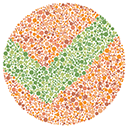
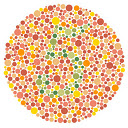
Vividfy - Vivencie as Cores
This extension can change any web images through your navigation, just clicking in an single button. Made for dichromatic issues.
Vividfy - Vivencie as Coresとは何ですか?
Vividfy - Vivencie as CoresはDASHによって開発されたChromeの拡張機能で、その主な機能は「This extension can change any web images through your navigation, just clicking in an single button. Made for dichromatic issues.」です。
拡張機能のスクリーンショット

Vividfy - Vivencie as Cores拡張機能のCRXファイルをダウンロード
Vividfy - Vivencie as Cores拡張子のファイルをcrx形式でダウンロードし、ブラウザにChrome拡張機能を手動でインストールするか、crxファイルを友達と共有して簡単にChrome拡張機能をインストールします。
拡張機能の使用方法
                        This extension can change any web images through your navigation, just clicking in an single button in a ease, intuitive and organic way. It's made for people that has some dichromatic color blindness issues (protanopia, tritanopia and deuteranopia).
----------------------------
Essa extensão pode alterar qualquer imagem da web através de sua navegação, bastando clicar em um único botão de forma fácil, intuitiva e orgânica. É feito para pessoas que têm algumas questões dicromáticas de daltonismo (protanopia, tritanopia e deuteranopia).
拡張機能の基本情報
| 名前 |  Vividfy - Vivencie as Cores Vividfy - Vivencie as Cores |
| ID | gapildemajokajpndmhajpebhoknkoei |
| 公式URL | https://chrome.google.com/webstore/detail/vividfy-vivencie-as-cores/gapildemajokajpndmhajpebhoknkoei |
| 説明 | This extension can change any web images through your navigation, just clicking in an single button. Made for dichromatic issues. |
| ファイルサイズ | 35.68 KB |
| インストール数 | 152 |
| 現在のバージョン | 1.2 |
| 最終更新日 | 2018-05-13 |
| 公開日 | 2018-05-13 |
| 評価 | 5.00/5 合計 3 レビュー |
| 開発者 | DASH |
| Eメール | [email protected] |
| 支払い方法 | free |
| プライバシーポリシーページのURL | http://dashagencia.com.br |
| 対応言語 | pt-BR |
| manifest.json | |
{
"update_url": "https:\/\/clients2.google.com\/service\/update2\/crx",
"name": "Vividfy - Vivencie as Cores",
"short_name": "Vividfy",
"description": "This extension can change any web images through your navigation, just clicking in an single button. Made for dichromatic issues.",
"version": "1.2",
"manifest_version": 2,
"permissions": [
"tabs"
],
"browser_action": {
"default_popup": "hello.html",
"default_icon": "hello_extensions.png"
},
"content_scripts": [
{
"matches": [
" | |