Font Customizer
Fine-tune your font settings for each website
Font Customizerとは何ですか?
Font CustomizerはSonia Youngによって開発されたChromeの拡張機能で、その主な機能は「Fine-tune your font settings for each website」です。
拡張機能のスクリーンショット
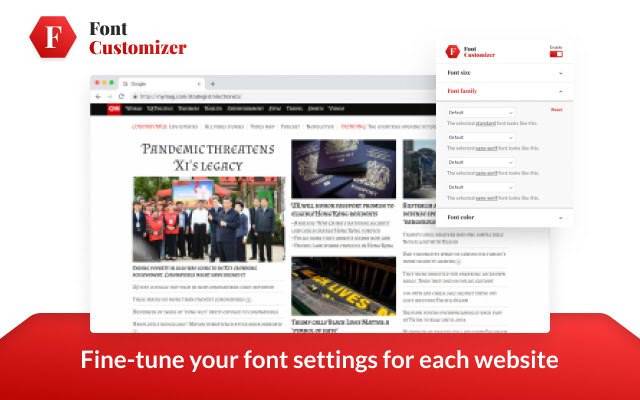
Font Customizer拡張機能のCRXファイルをダウンロード
Font Customizer拡張子のファイルをcrx形式でダウンロードし、ブラウザにChrome拡張機能を手動でインストールするか、crxファイルを友達と共有して簡単にChrome拡張機能をインストールします。
拡張機能の使用方法
                        Change font settings beyond what browser offers!

With Font Customizer, you can change font, size, and colors for every website.

Features:
☆ Make all text bigger or smaller
☆ Hundreds of fonts with open licenses
☆ Change color from the default black

Quick start: click the icon in the toolbar to open a popup.
拡張機能の基本情報
| 名前 |  Font Customizer Font Customizer |
| ID | gfbgiekofllpkpaoadjhbbfnljbcimoh |
| 公式URL | https://chrome.google.com/webstore/detail/font-customizer/gfbgiekofllpkpaoadjhbbfnljbcimoh |
| 説明 | Fine-tune your font settings for each website |
| ファイルサイズ | 330 KB |
| インストール数 | 1,477,015 |
| 現在のバージョン | 1.4.3 |
| 最終更新日 | 2022-11-15 |
| 公開日 | 2021-04-22 |
| 評価 | 4.40/5 合計 92 レビュー |
| 開発者 | Sonia Young |
| Eメール | [email protected] |
| 支払い方法 | free |
| プライバシーポリシーページのURL | https://www.notion.so/Font-Customizer-Privacy-policy-f87caddb5939401498ba6cd3d0c9cfc9 |
| 対応言語 | id,ms,de,en,en-GB,en-US,fil,fr,nl,no,vi,tr,ca,da,et,es,hr,it,lv,lt,hu,pl,pt-BR,pt-PT,ro,sk,sl,fi,sv,cs,el,sr,bg,ru,mr,hi,bn,gu,ta,te,ml,th,zh-CN,zh-TW,ja,ko |
| manifest.json | |
{
    "update_url": "https:\/\/clients2.google.com\/service\/update2\/crx",
    "manifest_version": 2,
    "name": "__MSG_appName__",
    "description": "__MSG_appDesc__",
    "version": "1.4.3",
    "browser_action": {
        "default_popup": "popup.html"
    },
    "background": {
        "scripts": [
            "background.js"
        ],
        "persistent": true
    },
    "content_security_policy": "script-src 'self' https:\/\/*.google-analytics.com; object-src 'self'",
    "content_scripts": [
        {
            "js": [
                "inject.js"
            ],
            "matches": [
                "https:\/\/*\/*",
                "http:\/\/*\/*"
            ]
        }
    ],
    "icons": {
        "128": "icons\/icon-128.png",
        "48": "icons\/icon-48.png",
        "16": "icons\/icon-16.png"
    },
    "default_locale": "en",
    "permissions": [
        "fontSettings",
        "https:\/\/*\/*",
        "http:\/\/*\/*",
        "storage"
    ]
} | |