Avanty
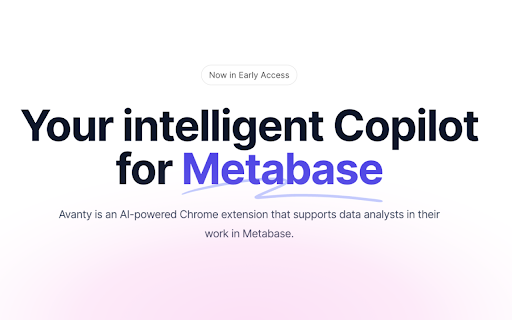
Avanty is your AI assistant for Metabase.
Avantyとは何ですか?
Avantyはhttps://avanty.appによって開発されたChromeの拡張機能で、その主な機能は「Avanty is your AI assistant for Metabase.」です。
拡張機能のスクリーンショット
Avanty拡張機能のCRXファイルをダウンロード
Avanty拡張子のファイルをcrx形式でダウンロードし、ブラウザにChrome拡張機能を手動でインストールするか、crxファイルを友達と共有して簡単にChrome拡張機能をインストールします。
拡張機能の使用方法
                        Avanty is an AI-powered Chrome extension that supports data analysts in their work in Metabase.

Features include:
- AI-generated SQL based on natural language
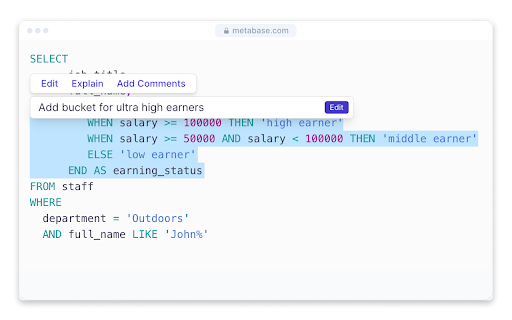
- Use AI to edit parts of your SQL query
- AI-powered step-by-step explanation of complex SQL queries
- Auto-generated titles for new Metabase charts
- Format your SQL code at the click of a button
- Automatically debug SQL queries that result in errors
拡張機能の基本情報
| 名前 |  Avanty Avanty |
| ID | glimiillegbamhdopeiompaefkjekdkn |
| 公式URL | https://chromewebstore.google.com/detail/avanty/glimiillegbamhdopeiompaefkjekdkn |
| 説明 | Avanty is your AI assistant for Metabase. |
| ファイルサイズ | 1.35 MB |
| インストール数 | 131 |
| 現在のバージョン | 1.2.0 |
| 最終更新日 | 2023-12-23 |
| 公開日 | 2023-03-03 |
| 評価 | 5.00/5 合計 4 レビュー |
| 開発者 | https://avanty.app |
| Eメール | [email protected] |
| 支払い方法 | free |
| 拡張機能のウェブサイト | https://avanty.app |
| プライバシーポリシーページのURL | https://avanty.app/legal/privacy-policy |
| 対応言語 | en-US |
| manifest.json | |
{
"update_url": "https:\/\/clients2.google.com\/service\/update2\/crx",
"manifest_version": 3,
"name": "Avanty",
"version": "1.2.0",
"description": "Avanty is your AI assistant for Metabase.",
"action": {
"default_popup": "index.html"
},
"options_page": "index.html",
"icons": {
"128": "assets\/icons\/icon128.png"
},
"background": {
"service_worker": "service-worker-loader.js",
"type": "module"
},
"web_accessible_resources": [
{
"matches": [
"http:\/\/*\/*",
"https:\/\/*\/*"
],
"resources": [
"src\/static\/ace-communicator.js",
"src\/static\/fonts\/*",
"assets\/_commonjsHelpers-de833af9.js",
"assets\/_baseIsEqual-104d13df.js"
],
"use_dynamic_url": false
},
{
"matches": [
"http:\/\/*\/*",
"https:\/\/*\/*"
],
"resources": [
"assets\/messages-4bdc1b3a.js",
"assets\/exports-8759c04b.js",
"assets\/sdk-19c9a747.js",
"assets\/_commonjsHelpers-de833af9.js",
"assets\/index-1ec4a07c.js",
"assets\/skeleton-d1b0854d.js",
"assets\/App-0b535096.js",
"assets\/Extension-2b0fc840.js",
"assets\/pgadmin-0e64b2c7.js",
"assets\/index-779f75ed.js",
"assets\/use-current-user-55b08e84.js",
"assets\/_baseIsEqual-104d13df.js",
"assets\/index.tsx-61cbc19a.js"
],
"use_dynamic_url": true
}
],
"content_scripts": [
{
"js": [
"assets\/index.tsx-loader-0e1996c9.js"
],
"matches": [
"https:\/\/*\/*",
"http:\/\/*\/*"
],
"run_at": "document_idle",
"all_frames": true,
"css": [
"assets\/Extension-5a12befe.css"
]
}
],
"host_permissions": [
"http:\/\/localhost:3000\/*",
" | |