Anypoint Platform Chrome Extension
Anypoint Platform Chrome Extension
Anypoint Platform Chrome Extensionとは何ですか?
Anypoint Platform Chrome Extensionはhttps://yucelmoran.comによって開発されたChromeの拡張機能で、その主な機能は「Anypoint Platform Chrome Extension」です。
拡張機能のスクリーンショット
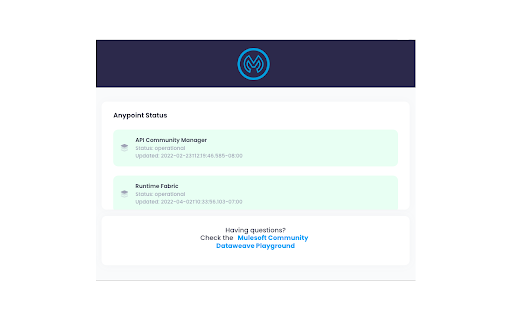


Anypoint Platform Chrome Extension拡張機能のCRXファイルをダウンロード
Anypoint Platform Chrome Extension拡張子のファイルをcrx形式でダウンロードし、ブラウザにChrome拡張機能を手動でインストールするか、crxファイルを友達と共有して簡単にChrome拡張機能をインストールします。
拡張機能の使用方法
                        Anypoint Platform™ is a complete solution for API-led connectivity that helps companies build application networks of apps, data, and devices, both on-premises and in the cloud.

This Extension is meant to help anyone with an access to the platform to reach different modules with less clicks.

With the extension you can:

- Get the access token to use it to use it to consume the Anypoint Platform API using any REST client like POSTMAN
- Download a CSV file with all your deployed applications
- See the total deployed applications in your instance
- See the Anypoint platform status updates in realtime (https://status.mulesoft.com/)
- Download a CloudHub or Hybrid application artifact in one click (.jar / .zip)
- See any scheduler and alert setup in an application.
- If you are in a trial instance, you are able to see the remaining days before your Anypoint account expires.
拡張機能の基本情報
| 名前 |  Anypoint Platform Chrome Extension Anypoint Platform Chrome Extension |
| ID | gofndnflkobgljnjjalmehnlamoifmhc |
| 公式URL | https://chromewebstore.google.com/detail/anypoint-platform-chrome/gofndnflkobgljnjjalmehnlamoifmhc |
| 説明 | Anypoint Platform Chrome Extension |
| ファイルサイズ | 70.03 MB |
| インストール数 | 249 |
| 現在のバージョン | 2.8 |
| 最終更新日 | 2024-03-02 |
| 公開日 | 2020-11-18 |
| 評価 | 5.00/5 合計 3 レビュー |
| 開発者 | https://yucelmoran.com |
| Eメール | [email protected] |
| 支払い方法 | free |
| 拡張機能のウェブサイト | https://yucelmoran.com/anypoint-platform-chrome-extension/ |
| 対応言語 | en-US |
| manifest.json | |
{
    "update_url": "https:\/\/clients2.google.com\/service\/update2\/crx",
    "manifest_version": 3,
    "name": "Anypoint Platform Chrome Extension",
    "description": "Anypoint Platform Chrome Extension",
    "version": "2.8",
    "background": {
        "service_worker": "service-worker.js"
    },
    "options_page": "settings\/settings.html",
    "permissions": [
        "scripting",
        "storage",
        "tabs",
        "webRequest",
        "activeTab",
        "declarativeContent"
    ],
    "host_permissions": [
        "https:\/\/anypoint.mulesoft.com\/*",
        "*:\/\/*\/*"
    ],
    "action": {
        "default_title": "Click to show an alert",
        "default_icon": {
            "16": "icons\/mule.png",
            "24": "icons\/mule.png",
            "32": "icons\/mule.png"
        },
        "default_popup": "popup.html"
    },
    "content_scripts": [
        {
            "js": [
                "foreground.js"
            ],
            "matches": [
                "https:\/\/anypoint.mulesoft.com\/*"
            ]
        }
    ]
} | |