Notejoy Web Clipper
Save and share anything you see on the web directly to Notejoy.
Notejoy Web Clipperとは何ですか?
Notejoy Web Clipperはhttps://notejoy.comによって開発されたChromeの拡張機能で、その主な機能は「Save and share anything you see on the web directly to Notejoy.」です。
拡張機能のスクリーンショット

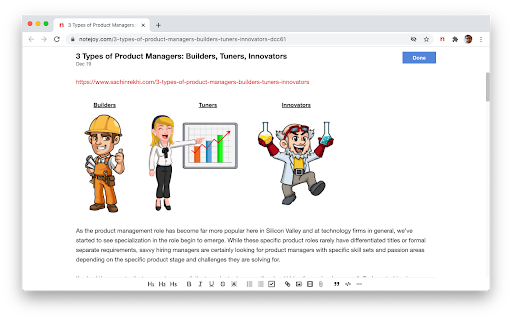
Notejoy Web Clipper拡張機能のCRXファイルをダウンロード
Notejoy Web Clipper拡張子のファイルをcrx形式でダウンロードし、ブラウザにChrome拡張機能を手動でインストールするか、crxファイルを友達と共有して簡単にChrome拡張機能をインストールします。
拡張機能の使用方法
                        CLIP ANYTHING
- Clip any web page you find across the web
- Save as a simplified article for easy reading within Notejoy
- Or save a bookmark to get back to the original at any time
- Clip images, PDFs, and videos in addition to articles
- Great for saving any content you come across as part of your project's research

EASILY SHARE
- Simply save your clip in a team library to give your colleagues access
- Add a comment and @mention colleagues to bring the clip to their attention and start a conversation
- Easily maintain a central hub for your team to come back to so important research doesn't get lost in email or Slack
拡張機能の基本情報
| 名前 |  Notejoy Web Clipper Notejoy Web Clipper |
| ID | hdpnapnmccppiagahpoclpjdoimjjkic |
| 公式URL | https://chromewebstore.google.com/detail/notejoy-web-clipper/hdpnapnmccppiagahpoclpjdoimjjkic |
| 説明 | Save and share anything you see on the web directly to Notejoy. |
| ファイルサイズ | 34.12 KB |
| インストール数 | 1,757 |
| 現在のバージョン | 1.2.0 |
| 最終更新日 | 2020-12-20 |
| 公開日 | 2019-01-20 |
| 評価 | 4.43/5 合計 7 レビュー |
| 開発者 | https://notejoy.com |
| Eメール | [email protected] |
| 支払い方法 | free |
| 拡張機能のウェブサイト | https://notejoy.com |
| ヘルプページのURL | https://notejoy.com/help |
| プライバシーポリシーページのURL | https://notejoy.com/privacy |
| 対応言語 | en-US |
| manifest.json | |
{
    "update_url": "https:\/\/clients2.google.com\/service\/update2\/crx",
    "name": "Notejoy Web Clipper",
    "version": "1.2.0",
    "manifest_version": 2,
    "description": "Save and share anything you see on the web directly to Notejoy.",
    "homepage_url": "https:\/\/notejoy.com",
    "background": {
        "scripts": [
            "background.js"
        ],
        "persistent": false
    },
    "web_accessible_resources": [
        "iframe.html",
        "iframe.js"
    ],
    "browser_action": {
        "default_icon": {
            "16": "images\/icon16.png",
            "32": "images\/icon32.png",
            "48": "images\/icon48.png",
            "128": "images\/icon128.png"
        },
        "default_title": "Clip to Notejoy"
    },
    "icons": {
        "16": "images\/icon16.png",
        "32": "images\/icon32.png",
        "48": "images\/icon48.png",
        "128": "images\/icon128.png"
    },
    "permissions": [
        "activeTab",
        "contextMenus"
    ]
} | |